

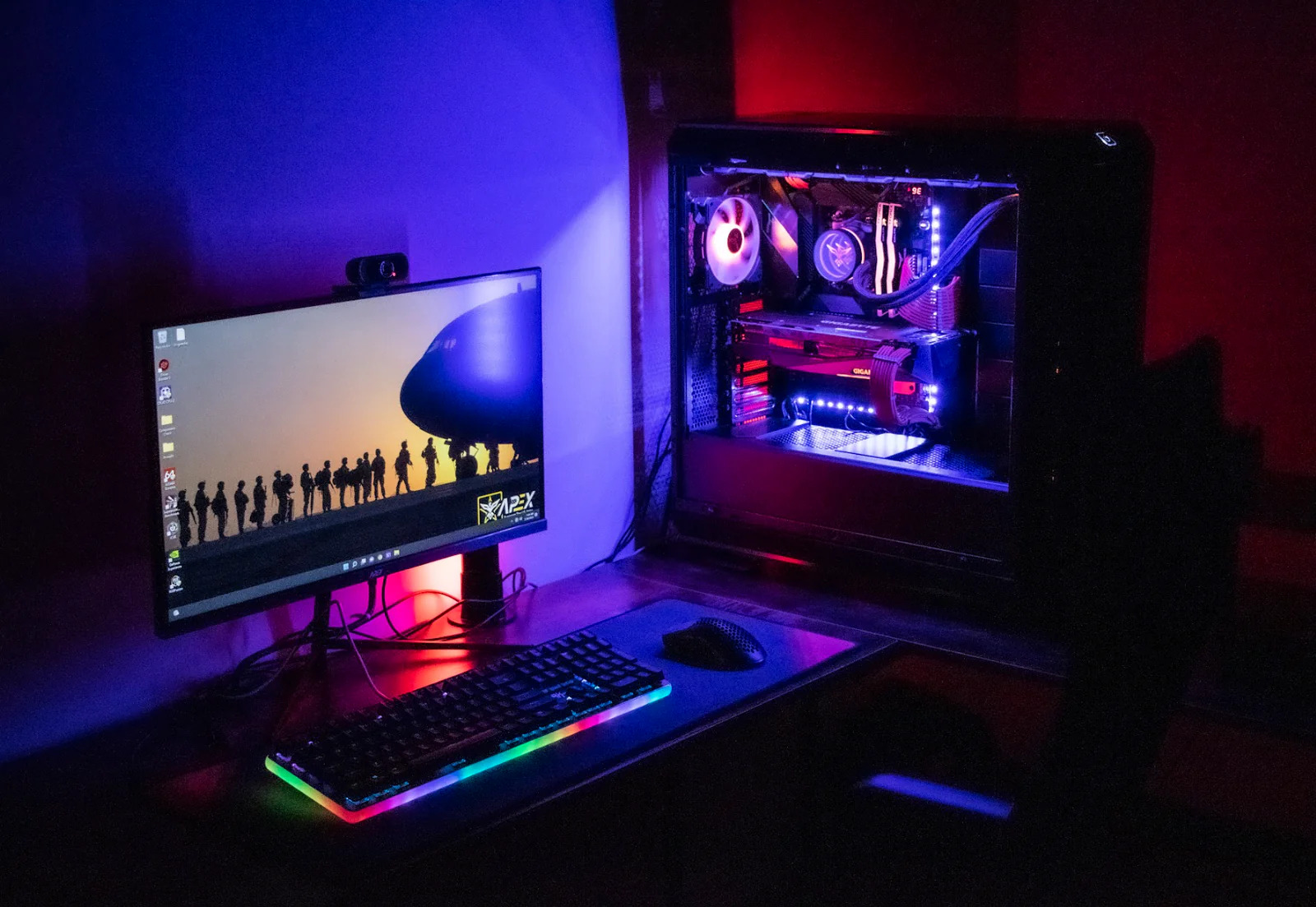

There is a quiet moment every PC gamer knows. You have a new 1440p monitor on the desk, maybe a 165Hz panel still wrapped in plastic, and you are staring at a cart full of parts wondering if you really want to spend a Saturday seating a CPU and praying the boot light turns off.
Plenty of people decide they would rather just play games. That is a fine choice, and the prebuilt market in 2026 finally rewards it. Two grand buys a machine that pushes well past 100 FPS at 1440p in modern blockbusters and blows past 200 FPS in the games you queue ranked in.
So we pulled the five prebuilts that matter most in this bracket, compared them part by part, and ranked them by who they are actually for. No filler. Just the boxes worth buying and the reasons why.
Who this is really for
If you bought a 1440p monitor, you landed in the smartest spot in PC gaming right now. It is sharp enough to feel like a real upgrade over 1080p, and it does not demand the brutal, wallet-emptying horsepower that 4K does. The card that struggles to hold 60 FPS at 4K will happily sit above 100 FPS at 1440p in the same game.
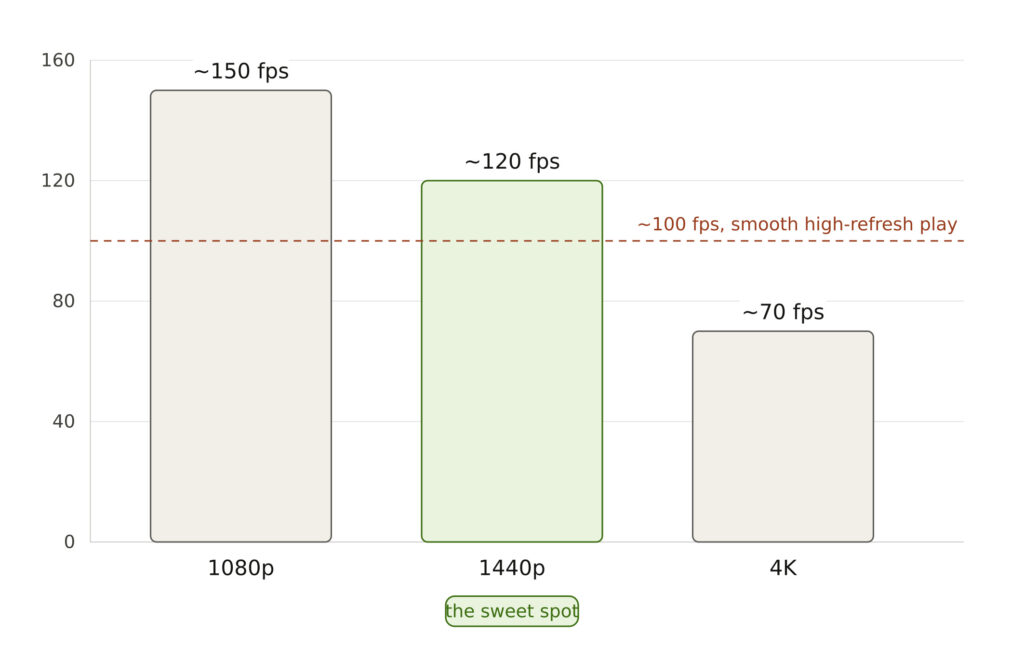
That changes what you should buy. You need a card in the RTX 4070 class, paired with a CPU strong enough to stay out of its way, and enough memory and storage that the system still feels fast in two years.
Every machine on this list lands there. They all run a GeForce RTX 4070 or 4070 Super with at least 12GB of VRAM, a recent Intel Core i7 or Ryzen 7 chip, 32GB of DDR5 in most cases, and an NVMe SSD that loads games in seconds.
The differences come down to priorities. One reader wants the lowest sticker price that still hits high frame rates. Another wants a box that runs cool and stays quiet during a long session. A third is already thinking about the upgrade two years out and wants room to grow.
So as you read, hold one question in your head: what do you care about most, price, quiet, or longevity?
The picks below are sorted to answer exactly that.
The top picks
iBUYPOWER Y40, best value
This is the one to buy if you want the most frames for the fewest dollars. At around $1,499, the Y40 is the cheapest serious machine here, and it does not feel like a budget compromise once it is running.
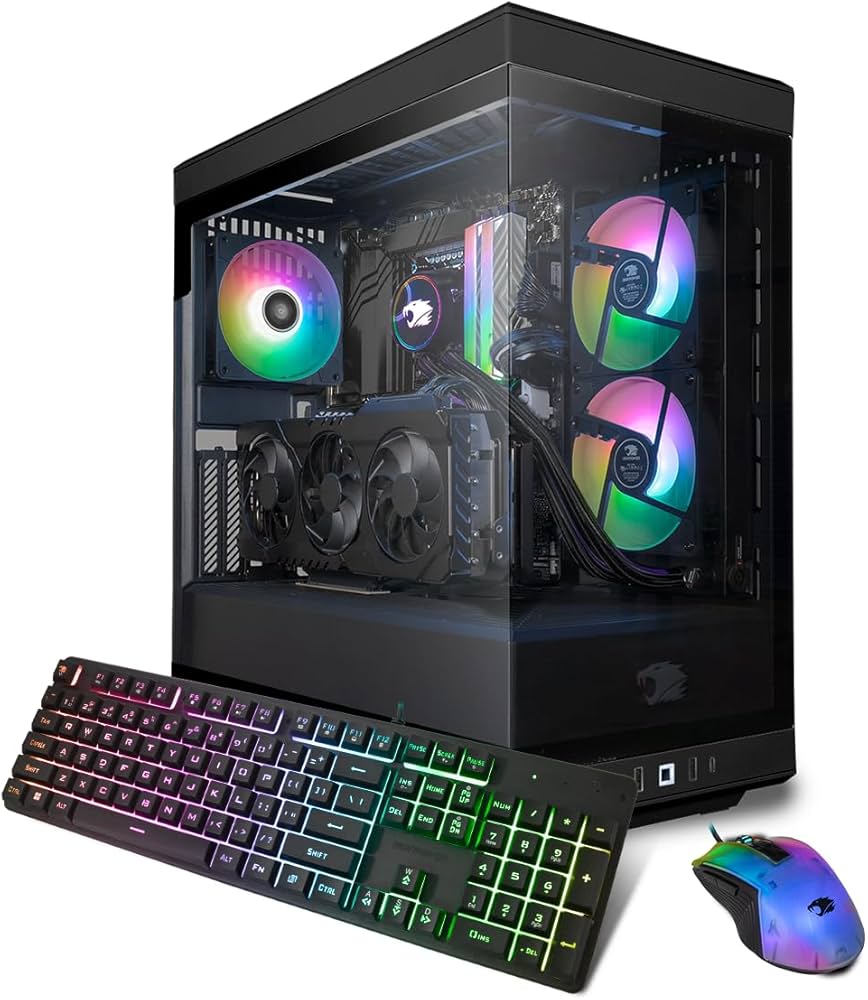
Image Credits: Amazon
You get a Core i7-14700KF with 20 cores and 28 threads, an RTX 4070 Super, 32GB of fast DDR5-5600, and a generous 2TB NVMe SSD. That storage matters more than people expect. Modern games balloon past 100GB each, and 2TB means you are not uninstalling your library every month to make room.
The GPU is the headline. An RTX 4070 Super class card holds triple-digit frame rates in demanding single-player games at 1440p and sails past 200 FPS in competitive titles like CS2 and Valorant. A 240mm liquid cooler keeps the i7 in check, and four case fans move enough air for a card in this tier.
The build sits on Intel’s Z790 platform, so a future CPU swap is on the table. For a first prebuilt or a no-drama upgrade from an aging rig, the Y40 is hard to argue with.
Best for: anyone who wants maximum 1440p performance per dollar.
CyberPowerPC GXiVR8760A, best overall
If you want the safest all-around pick, this is it. At roughly $1,699, the GXiVR8760A does not win any single category outright, and that is exactly why it earns the top spot. Every part is sensible, and nothing about it will annoy you a year from now.
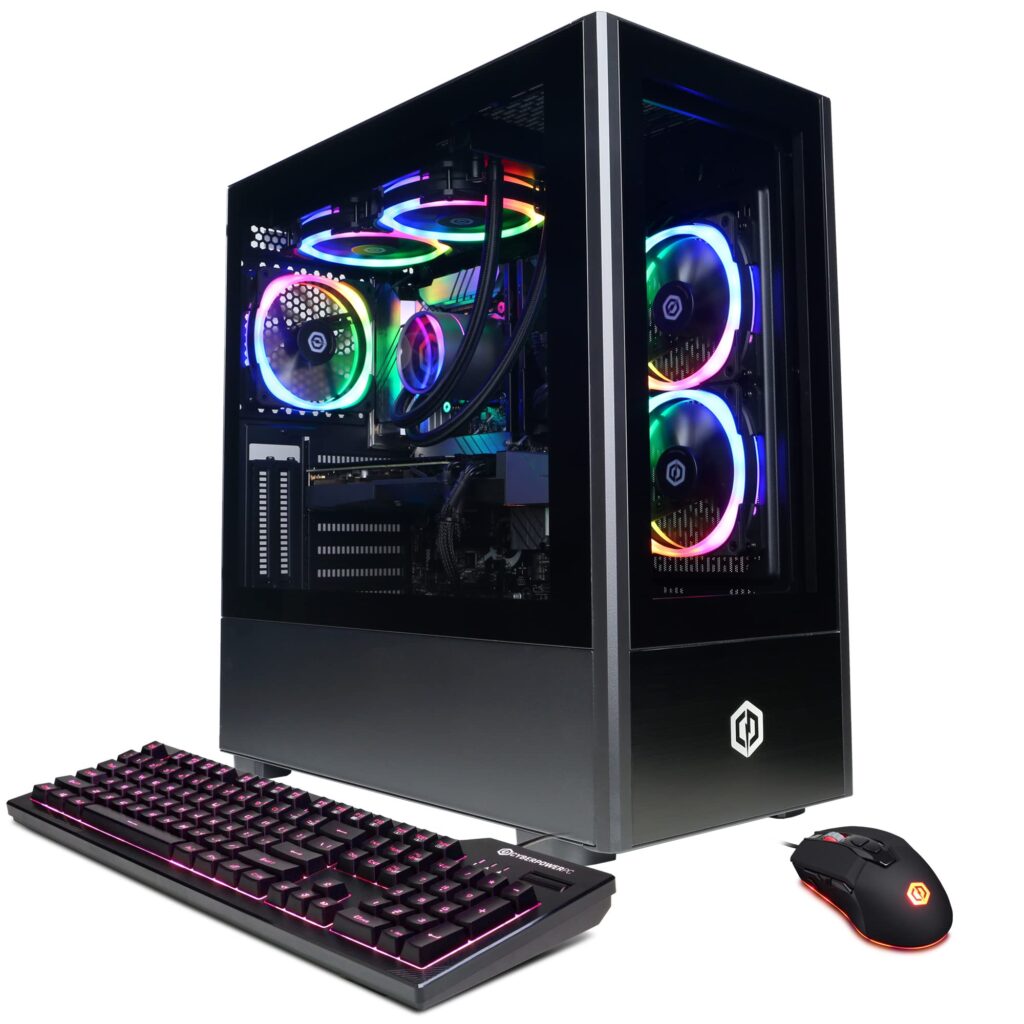
Image Credits: Amazon
It runs a Core i7-13700KF with 16 cores and 24 threads, an RTX 4070, and 32GB of DDR5. The storage setup is the smart touch: a 1TB NVMe SSD for your OS and your most-played games, plus a 2TB hard drive for everything you want to keep but rarely launch.
Cooling is handled by a 240mm liquid cooler and a set of case fans, which keeps both noise and temperatures reasonable under load. The 850W power supply is more than this GPU needs, so there is real headroom if you ever drop in a hungrier card.
It also sits on Z790, so the upgrade door stays open. Balanced specs, solid cooling, room to grow. For most readers, this is the one you buy and forget about.
Best for: the buyer who wants one good decision instead of five small trade-offs.
Lenovo Legion Tower 5i Gen 8, best for the long haul
Buy this if you think of a PC as a five-year investment rather than a one-time purchase. At about $1,799, the Legion 5i costs a bit more, and most of that premium goes toward room to grow.
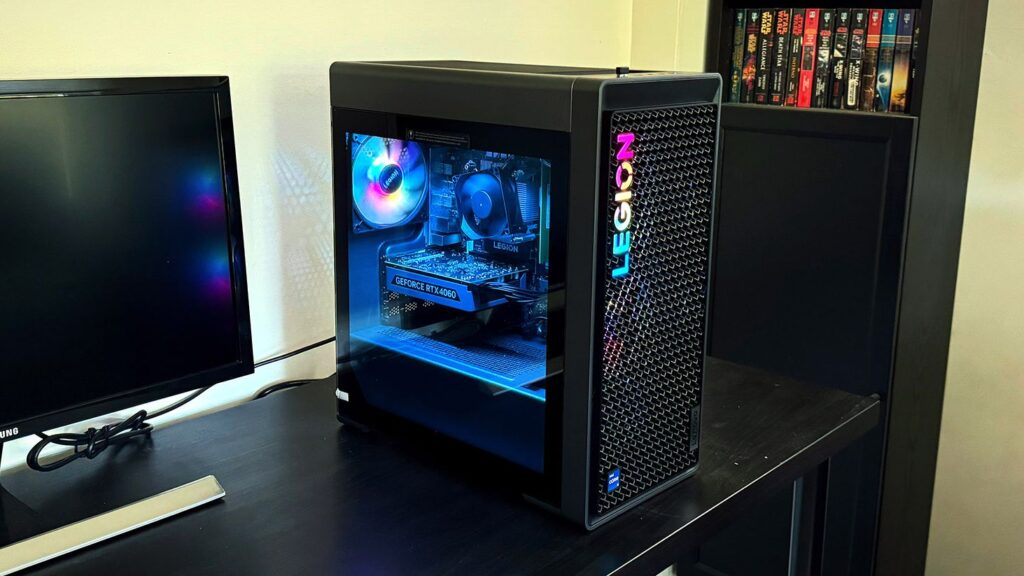
Image Credits: Tom’s Hardware
The spec sheet reads like the others in the best ways: a Core i7-14700F with 20 cores and 28 threads, an RTX 4070 Super, 32GB of DDR5, and a 1TB NVMe SSD. Where it pulls ahead is the platform underneath. The Z790 board carries four memory slots instead of two, so you can climb to 128GB of RAM without throwing away the sticks you already own.
That detail sounds boring until the day you want more memory and discover your two-slot board forces you to bin a perfectly good kit. The Legion sidesteps that entirely.
Cooling comes from a 240mm liquid cooler plus extra exhaust fans, and the full-tower chassis gives your hands room to work when upgrade day arrives. Lenovo’s build quality and support network are a quiet bonus.
Best for: the planner who wants to add parts over time instead of replacing the whole box.
Dell Alienware Aurora R15, best for quiet and cool
Some people care less about the last ten frames and more about whether the machine sounds like a jet at takeoff. If that is you, the Aurora R15 is your pick. It also lands near $1,799.
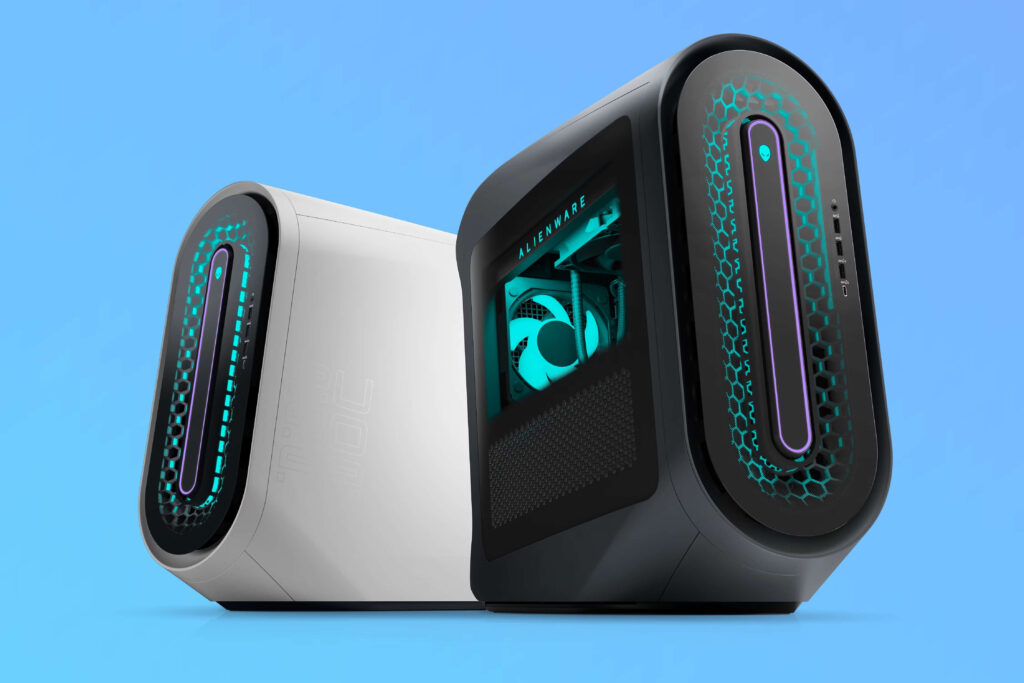
Image Credits: XDA Developers
The standout here is thermals. The chassis packs five case fans alongside a liquid CPU cooler, and the airflow design keeps the system composed even during a long, heavy session. It stays cool and controlled under sustained load, which translates directly into lower fan noise at your desk.
The core hardware holds its own with a Core i7-13700KF and an RTX 4070, backed by a high-efficiency 80+ Platinum power supply that runs clean and cool. There is one catch worth flagging. The base configuration ships with 16GB of RAM, which is light for 2026, so plan to add another 16GB to reach a comfortable 32GB.
If your office doubles as your bedroom, or you simply hate fan whine, the Aurora’s calm under pressure is worth the small RAM tax.
Best for: anyone who values a quiet, cool desk over squeezing out every frame.
HP Omen 40L, cheapest entry and AMD pick
This is the value surprise of the group. The Omen 40L often sells around $1,389, which makes it the lowest price here, and it still brings an RTX 4070 Super to the table.
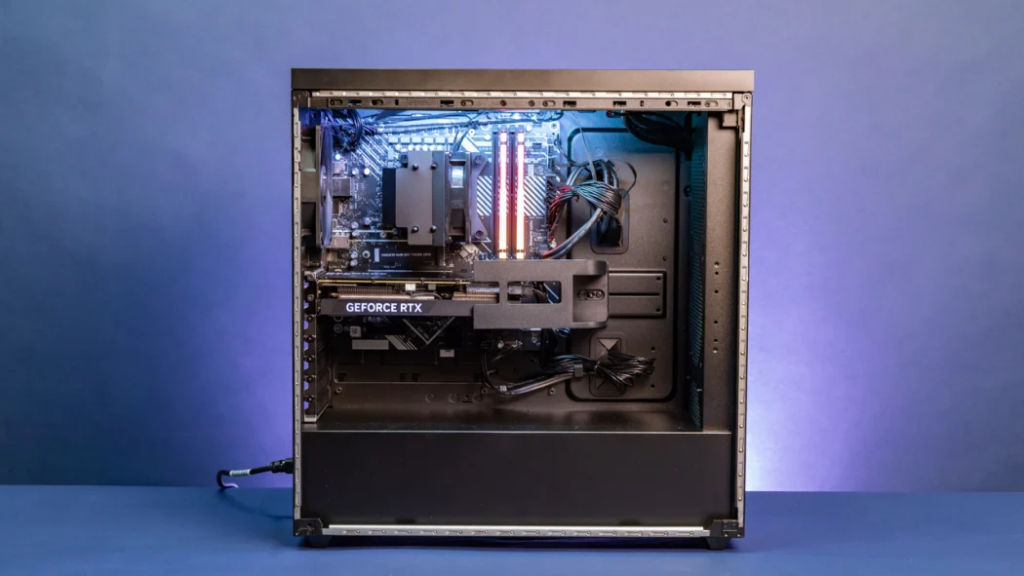
Image Credits: PCMag
It runs on AMD instead of Intel, with a Ryzen 7 7700 paired to 32GB of DDR5 and a 1TB NVMe SSD. For 1440p gaming, where the graphics card sets the frame rate far more than the processor, that Ryzen 7 is plenty. You will not feel a gap in the games this machine is built for.
HP also gives it a clever cooling trick. A dedicated chamber behind the graphics card funnels fresh air straight to the GPU, which helps it hold its boost clocks during long sessions. The power supply has headroom to spare as well, so a bigger card later is realistic.
One honesty note on upgrades. The AM5 board here tops out at a Ryzen 7 7700X and does not support the X3D gaming chips, so this is less of a CPU-upgrade machine than the Intel builds. For pure frames-per-dollar at the door, though, it is the best deal on the list.
Best for: the bargain hunter who wants the lowest price without dropping below the 1440p sweet spot.
How the frame rates actually look
Specs are abstract, so here is what they mean on screen. A card in this 4070 class runs modern, graphically heavy single-player games above 100 FPS at 1440p on high settings. In one demanding open-world benchmark, the step-up 4070 Ti averaged around 146 FPS with 1% lows near 101, and the cards in these builds land in the same neighborhood.
The 1% lows are the number to watch, because they describe the worst stutters rather than the smooth average. Across these systems, lows tend to sit roughly 15 to 25 percent under the average, which is the difference between buttery and merely fine. In practice it stays smooth.
Competitive games are barely a contest. CS2, Valorant, Rainbow Six Siege, Fortnite and League all blow past 200 FPS at 1440p on these machines, which is exactly what a 144Hz or 165Hz monitor wants to be fed.
What to skip
A few traps lurk in this price range, so spend with intent.
Skip anything still shipping with 16GB of RAM as a permanent setup. It is fine for today and tight for tomorrow, so treat 32GB as the real target and budget the small upgrade if a deal tempts you with less.
Skip the urge to chase a 4K-class GPU you cannot afford here. At 1440p, a 4070-class card is the smart match, and stretching for more card means cutting corners on RAM, storage or cooling that you will feel every day.
Skip builds with a tiny single SSD and no room to add more. A lone 500GB drive fills up fast, and a machine you constantly have to manage is one you will resent.
And skip the two-slot memory board if you are a tinkerer. It quietly caps how cheaply you can add RAM down the road.
Where to start
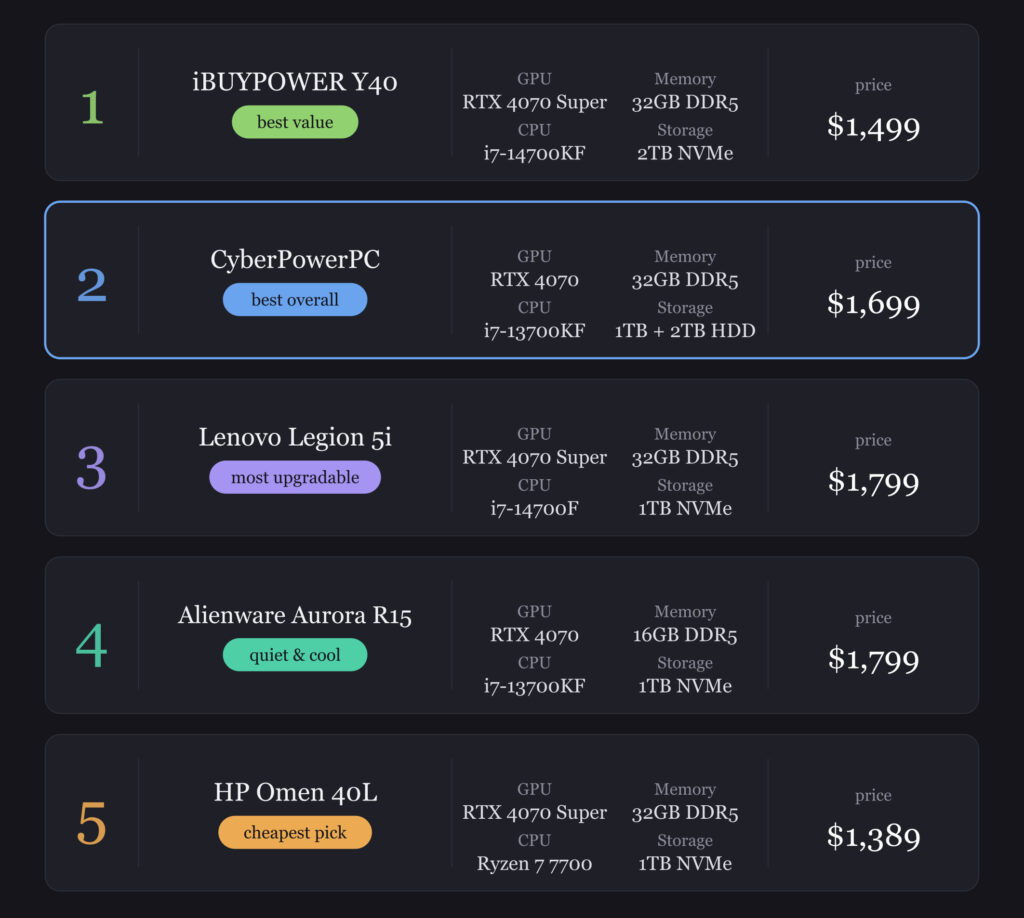
Pick by your top priority and you cannot go far wrong. Want the most frames for the least money, grab the iBUYPOWER Y40. Want one safe, balanced choice, the CyberPowerPC is your default.
Care about a quiet, cool desk, choose the Alienware Aurora R15 and add a second stick of RAM. Thinking years ahead, the Lenovo Legion 5i gives you the most room to grow. Watching every dollar, the HP Omen 40L gets you in the door for the least.
Whichever you choose, pair it with that 1440p monitor, cap your frame rate near your refresh ceiling, and go play.