

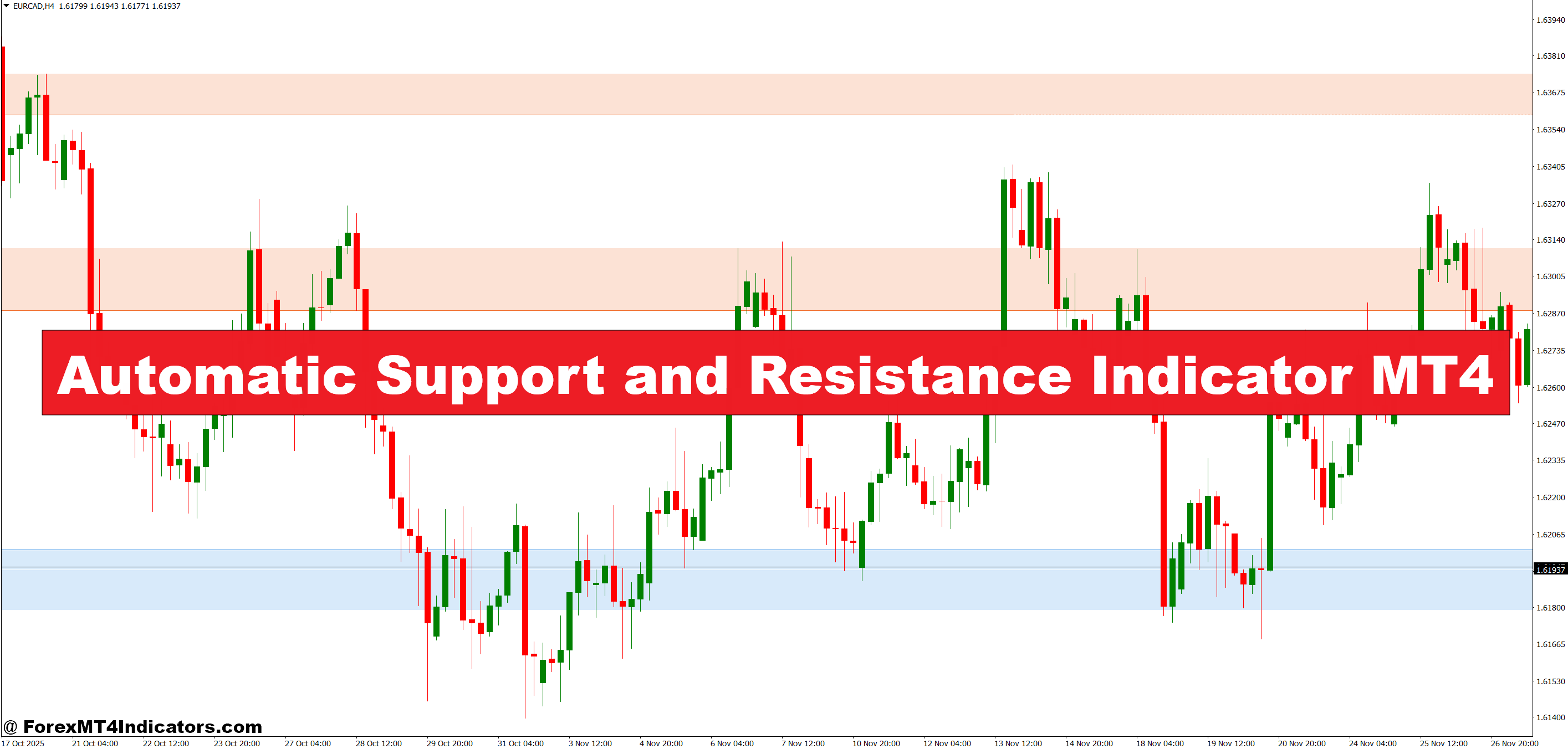
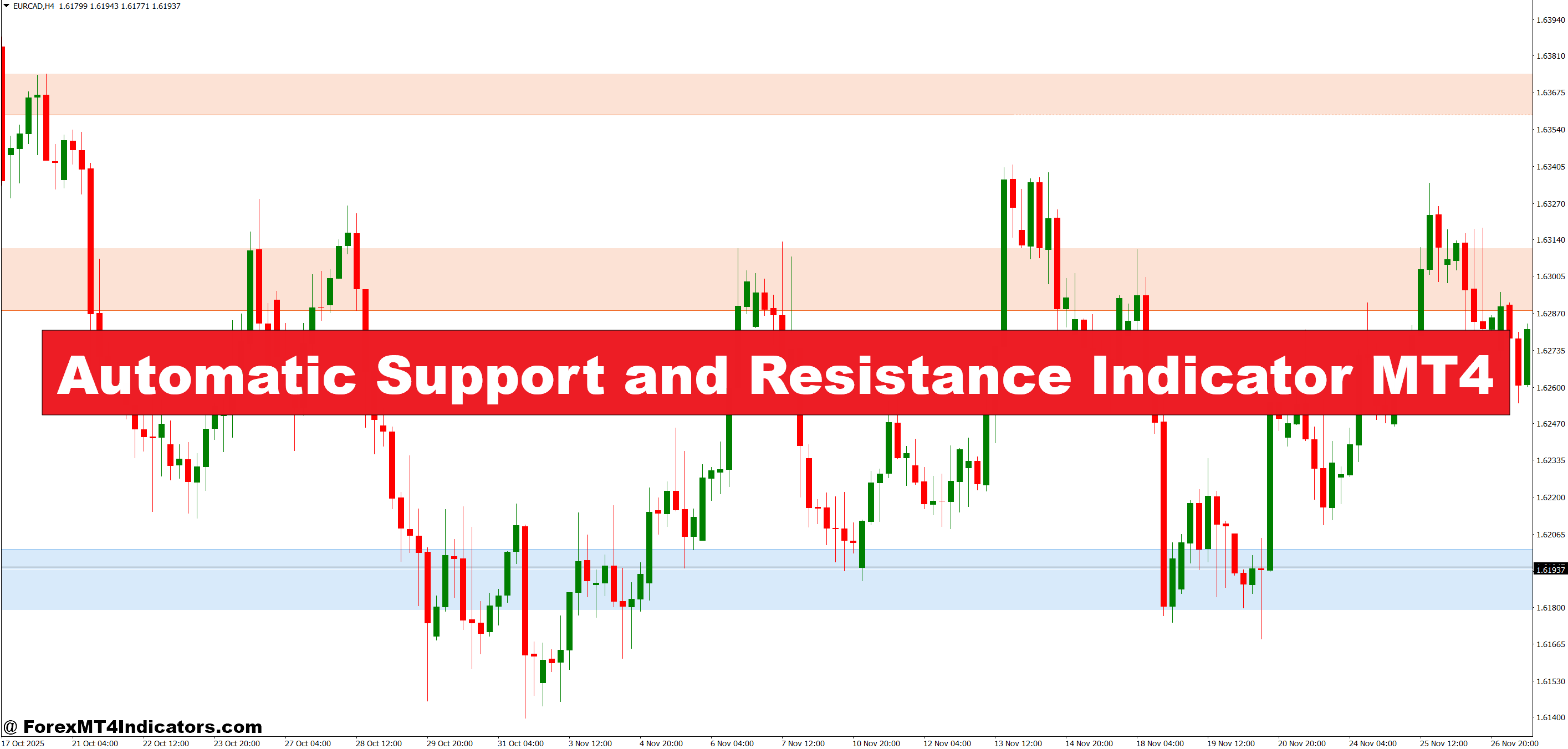
The automatic support and resistance indicator operates as a visual mapping tool that highlights price levels where historical reversals or consolidations occurred. Unlike static horizontal lines traders draw manually, this tool continuously updates as new price data comes in. It analyzes swing highs and swing lows across your chosen timeframe, then marks zones where price previously struggled to break through.
Think of it as having a trading assistant who never blinks. While you’re analyzing fundamentals or managing other positions, the indicator spots areas where institutional orders might be stacked or where retail traders typically place stop losses. On GBP/USD’s 1-hour chart during London session, these zones often appear just below round numbers—places where liquidity pools form.
The Mechanics Behind the Magic
Most automatic S/R indicators use a pivot point calculation combined with a lookback period. Here’s how it typically works: The algorithm scans backward (say, 100 bars) and identifies local peaks and troughs. A peak forms when price makes a high with lower highs on both sides. A trough does the opposite.
The indicator then assigns weight to these levels based on how many times price tested them. A zone that rejected price three times carries more significance than one touched only once. Some versions incorporate price action patterns, flagging levels where pin bars or engulfing candles formed—signals that big players defended that area.
What separates a decent indicator from a mediocre one is how it handles dynamic levels. Markets aren’t static. A resistance zone from last week might become support this week after a breakout. Better indicators adjust by tracking price flow and re-categorizing levels as market structure shifts.
Putting It to Work in Real Trading

Let’s get practical. During the September 2024 FOMC announcement, USD/JPY was ranging between 142.50 and 144.80. A trader using this indicator would’ve seen those boundaries highlighted automatically. When price approached 144.80 for the third time with declining momentum, the setup screamed “short opportunity.” The indicator didn’t predict the reversal—it just made the battleground visible.
Here’s another scenario: Scalping EUR/GBP on the 15-minute chart during active European hours. The indicator flagged a support zone at 0.8520, formed during the previous day’s Asian session low. Price dipped to 0.8522, wicked down, then rocketed 25 pips in 40 minutes. Traders who had alerts set at that automatic level caught the bounce without staring at screens.
But here’s where traders mess up: treating every marked level as a guaranteed reversal point. The indicator shows you where price reacted before—not where it must react again. Combine these levels with confluence factors. If automatic resistance aligns with the 200-period moving average and a Fibonacci retracement, that setup has teeth. A lone S/R line in dead zone? Less reliable.
Automatic Support and Resistance Indicator MT4 Settings

Default parameters rarely suit everyone. Most automatic S/R indicators let you adjust the lookback period, sensitivity, and display options. A scalper trading the 5-minute chart might use a 50-bar lookback to catch recent micro-levels. A swing trader on dailies could extend that to 200 bars for major zones formed over months.
Sensitivity controls how picky the indicator gets. High sensitivity floods your chart with every minor swing—useful for range-bound pairs like AUD/NZD but overwhelming on trending instruments like momentum tech stocks. Low sensitivity shows only the strongest levels, which works better for traders who want clean charts and broader context.
Color coding helps too. Setting resistance zones in red and support in green creates instant visual clarity. Some traders use thicker lines for levels tested multiple times and thinner ones for newer zones. During news-heavy weeks, dialing down the number of displayed levels prevents chart clutter when volatility spikes.
One trader’s approach on USD/CAD: He runs two instances—one with 100-bar lookback on H4 for swing levels, another with 30-bar lookback on M15 for intraday precision. The overlap zones between timeframes? That’s where he sizes up.
The Good, the Bad, and the Whipsaws
No tool is perfect, and pretending otherwise does traders a disservice. The automatic S/R indicator excels at removing emotional bias. You can’t argue with algorithmic level placement the way you might second-guess your own hand-drawn lines. It also saves hours of chart work, especially if you trade multiple pairs.
The downsides? Indicators lag by nature. They need price history to identify levels, which means freshly formed zones might not appear until several bars later. In fast-moving markets like GBP/JPY during Tokyo open, that delay can cost you the entry. The indicator also doesn’t account for fundamental shifts. A support level from before a central bank rate decision might be meaningless after the announcement tanks the currency.
Whipsaws happen. Price might clip a support zone by 3 pips, trigger your stop, then reverse exactly as predicted. The indicator wasn’t wrong about the level—it just can’t account for spread widening or liquidity grabs by brokers. That’s trading, not a flaw in the tool.
Compared to manual plotting, automatic indicators sacrifice discretion for speed. An experienced trader might ignore a support level formed on low volume, but the algorithm doesn’t distinguish unless programmed to factor in volume data. Against Fibonacci tools, S/R indicators offer objective historical zones versus mathematical projections. Both have merit; savvy traders use them together.
How to Trade with Automatic Support and Resistance Indicator MT4
Buy Entry

- Price touches support zone – Wait for price to reach the indicator’s marked support level on EUR/USD 1-hour chart, then watch for bullish rejection candle (pin bar or engulfing) before entering long.
- Multiple timeframe confirmation – Check that support on 15-minute aligns with 4-hour support level; enter when both timeframes show the same zone within 10-20 pips for stronger probability.
- Volume spike at support – Enter buy when price hits automatic support AND volume increases by 30%+ compared to previous 5 bars, signaling institutional buying interest.
- Risk 1-2% per trade – Place stop loss 5-10 pips below the support zone; if this violates your 2% account risk rule on GBP/USD, skip the trade entirely.
- Wait for price consolidation – Don’t chase price into support; let it settle for 2-3 candles at the level before entering to avoid fake-out wicks during London open volatility.
- Avoid news events – Skip buy signals within 30 minutes before or after high-impact NFP, Fed announcements, or GDP releases when support zones break easily.
- Target previous resistance – Set take profit at the next automatic resistance level above, typically 40-80 pips away on daily EUR/USD charts for realistic reward-to-risk ratios.
- Confirm with momentum – Only take buy signals when RSI is above 40 but below 70, showing upward momentum without overbought conditions that could trigger immediate reversals.
Sell Entry

- Price rejects resistance zone – Enter short when price touches indicator’s resistance on GBP/USD 4-hour chart and forms bearish candle (shooting star or bearish engulfing) within 2-3 bars.
- Break and retest setup – Wait for price to break above resistance, then sell when it pulls back to retest that level as new resistance; this happens frequently on USD/JPY during Tokyo session.
- Divergence at resistance – Sell when price makes higher high at automatic resistance but RSI makes lower high, indicating weakening bullish momentum on 1-hour charts.
- Proper position sizing – Calculate lot size so stop loss 10-15 pips above resistance equals exactly 1.5% of account; never use fixed lots regardless of distance to resistance.
- Skip in strong trends – Don’t sell resistance zones when 200 EMA slopes sharply upward on daily EUR/USD; resistance breaks easily in trending markets and leads to stopped-out trades.
- Trail stops below structure – After price drops 30 pips from entry, move stop to breakeven; at 50 pips profit, trail stop 20 pips below each new swing low.
- Check for confluence – Only sell when automatic resistance aligns with psychological round number (like 1.1000 on EUR/USD) or Fibonacci 61.8% retracement for higher win rates.
- Exit before weekend gaps – Close all sell positions on Friday if holding through weekend, especially on exotic pairs; Monday gaps can blow through resistance zones and trigger stops.
Final Thoughts
The automatic support and resistance indicator won’t replace sound trading judgment, but it sharpens the tools in your arsenal. It spots what matters: price levels where money changed hands aggressively before. For traders juggling multiple setups or those prone to overthinking chart markup, this indicator brings consistency. You get cleaner entries, better-defined risk parameters, and less time paralyzed by “what if” scenarios.
That said, this remains a supporting actor, not the lead. Pair it with proper risk management—never risk more than 1-2% per trade regardless of how “strong” a level looks. Backtest the settings on your preferred pairs before going live. And remember, even the best automatic tool reflects past behavior, not future certainty.
Trading forex carries substantial risk. No indicator guarantees profits, and past price reactions don’t ensure future ones. But for traders willing to combine technology with discipline, automatic S/R indicators offer a practical edge in markets where every pip counts.
Recommended MT4/MT5 Broker
XM Broker
- Free $50 To Start Trading Instantly! (Withdraw-able Profit)
- Deposit Bonus up to $5,000
- Unlimited Loyalty Program
- Award Winning Forex Broker
- Additional Exclusive Bonuses Throughout The Year
- Exclusive 90% VIP Cash Rebates for all Trades!

>> Sign Up for XM Broker Account here with Exclusive 90% VIP Cash Rebates For All Future Trades [Use This Special Invitation Link] <<
Already an XM client but missing out on cashback? Open New Real Account and Enter this Partner Code: VIP90
