
Close Menu
binanceplan.blog
    What's Hot

    UK fintech Paymentology expands into Australia, powering the next generation of fintech innovation

    April 17, 2026

    Lifetime Value

    April 17, 2026

    Kraken API Unlocked: momentum strategies on Kraken

    April 17, 2026
    Facebook X (Twitter) Instagram
    binanceplan.blog
    • Home
    • Binance
    • Cryptocurrency
      • Altcoin
      • Litecoin
      • Bitcoin
    • Crowdfunding
    • Crypto Mining
    • Ethereum
    • Fintech
    • Forex
      • Mompreneur
      • Venture Capital
    binanceplan.blog
    Home»Crypto Mining»How to Use the Grin Wallet: A Step-by-Step Guide for Cryptocurrency Miners
    Crypto Mining

    How to Use the Grin Wallet: A Step-by-Step Guide for Cryptocurrency Miners

    币安计划官方By 币安计划官方April 16, 2026Updated:April 17, 2026No Comments3 Mins Read
    Facebook Twitter Pinterest LinkedIn Tumblr Email
    How to Use the Grin Wallet: A Step-by-Step Guide for Cryptocurrency Miners
    Share
    Facebook Twitter LinkedIn Pinterest Email


    Setting up the GRIM wallet for Grin cryptocurrency

    Transactions on the GRIN blockchain are of the P2P or peer-to-peer type; you can read more about this in this article on the GRIN wiki. Therefore, if your wallet is unavailable, the pool cannot send the payout.

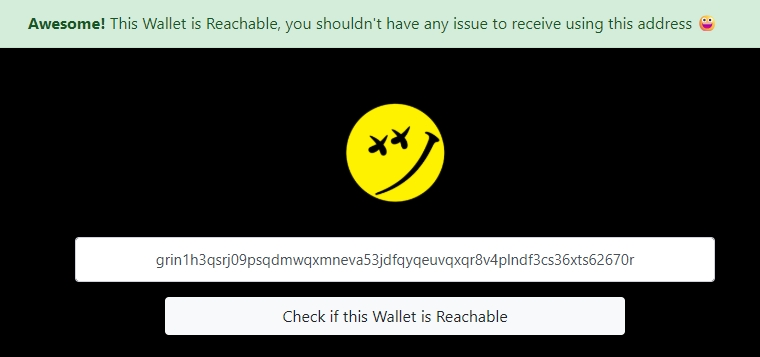
    Wallet availability can be checked using this tool. If your wallet is currently unavailable, the following message will appear:

    The window of a normally functioning Grin++ wallet, ready to accept an incoming transaction, looks as follows:

    • in the bottom left corner of the wallet window, the internal node status must be “Running”;
    • the wallet must have incoming peers (indicated in the bottom right corner of the wallet window).

    Also, the tor.exe process must have incoming and outgoing traffic.

    If you are unable to configure the Grin++ wallet to receive payouts from the pool, we recommend using the GRIM wallet. To download the wallet, go to the “Downloads” section and select the version for your operating system:
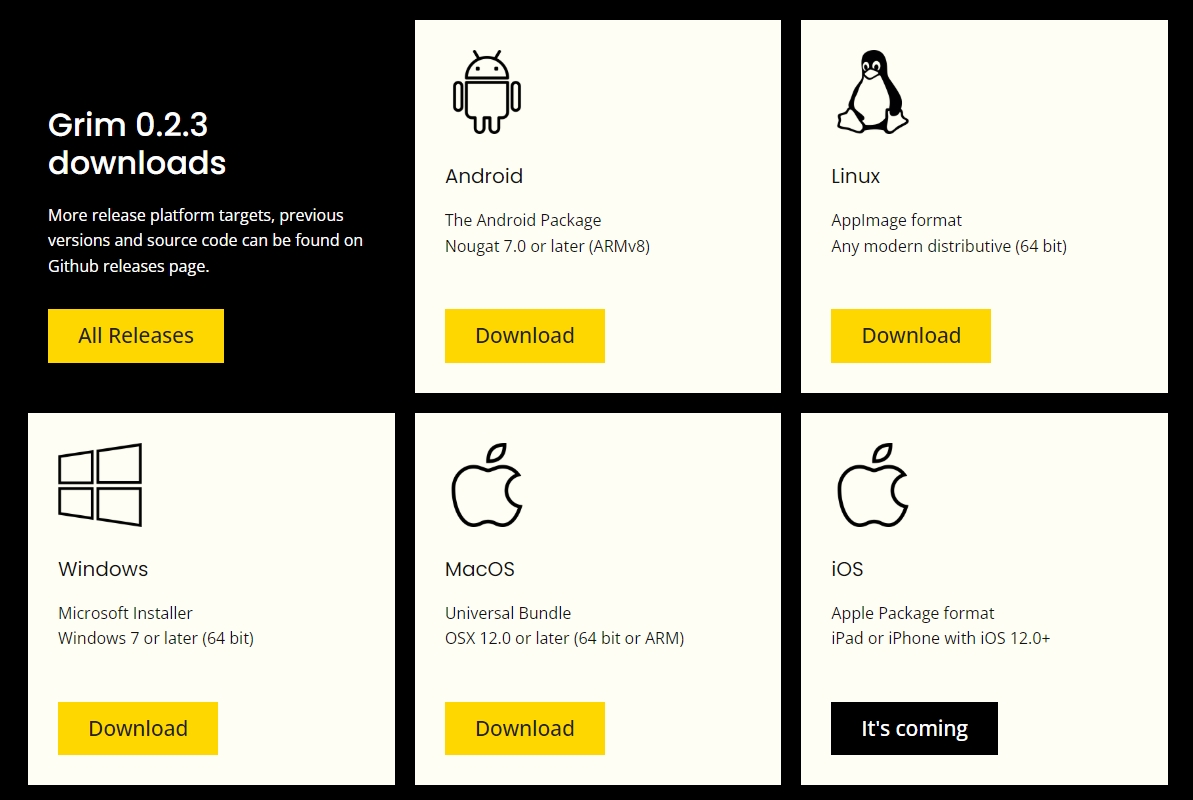
    Next, run the downloaded file and follow the installer’s instructions.

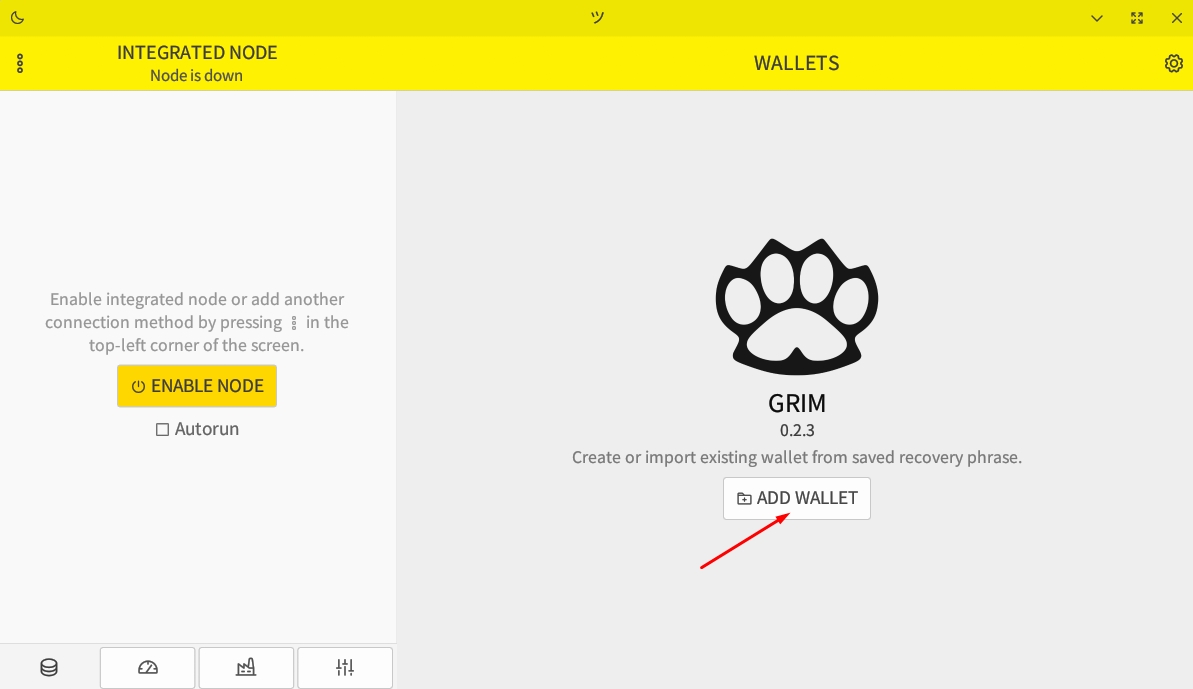
    Launch the GRIM wallet. To create a new wallet or restore an existing one from a saved seed phrase, click the “Add Wallet” button.
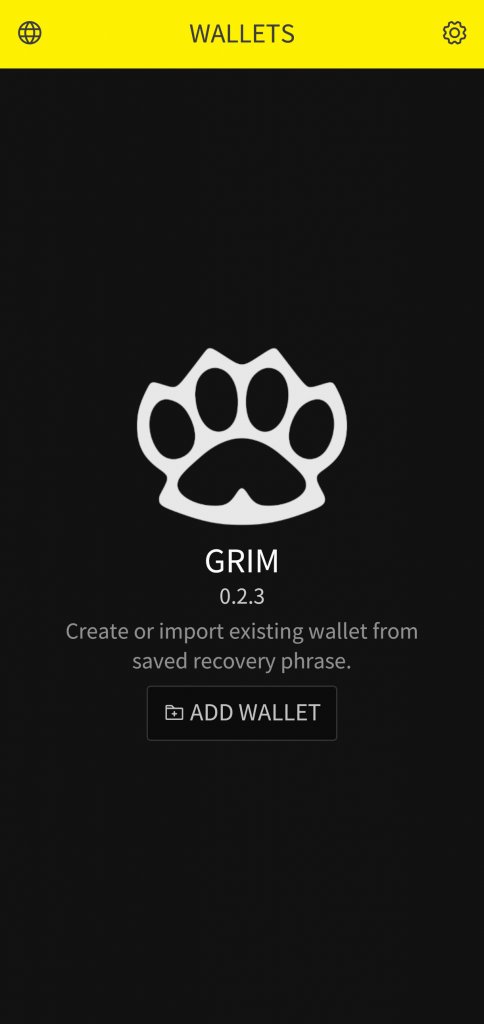
    In the mobile version, it looks like this.
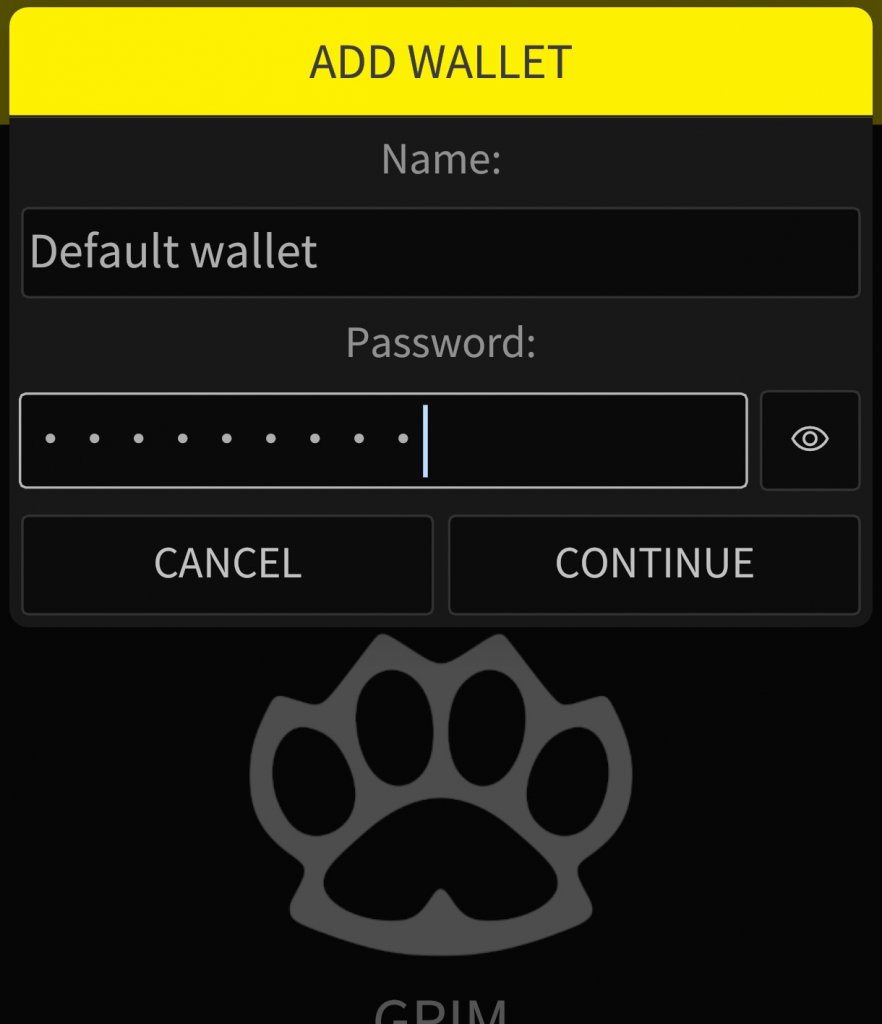
    Next, enter a name for the wallet, create a password, and click “Continue”.
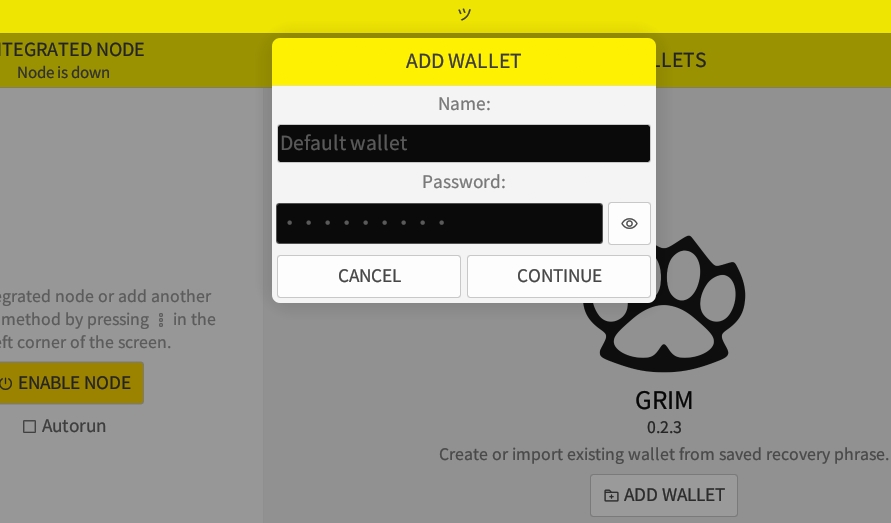
    In the mobile version:
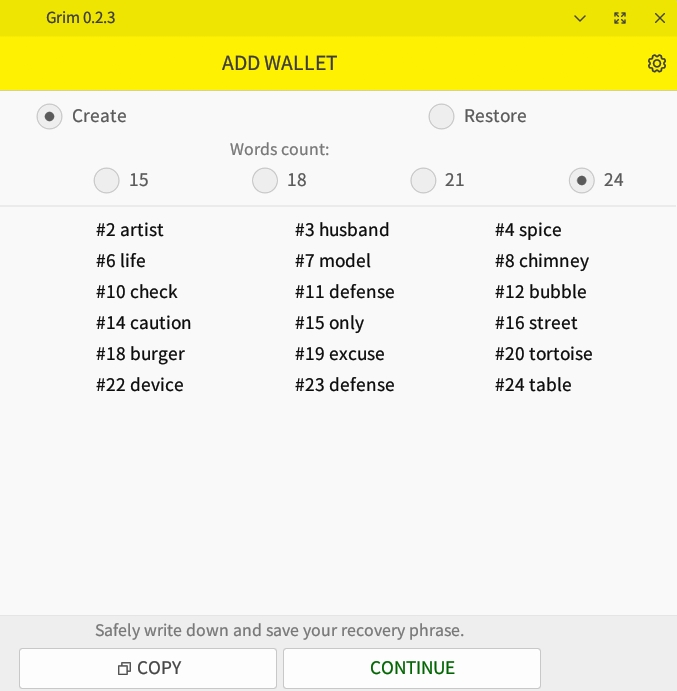
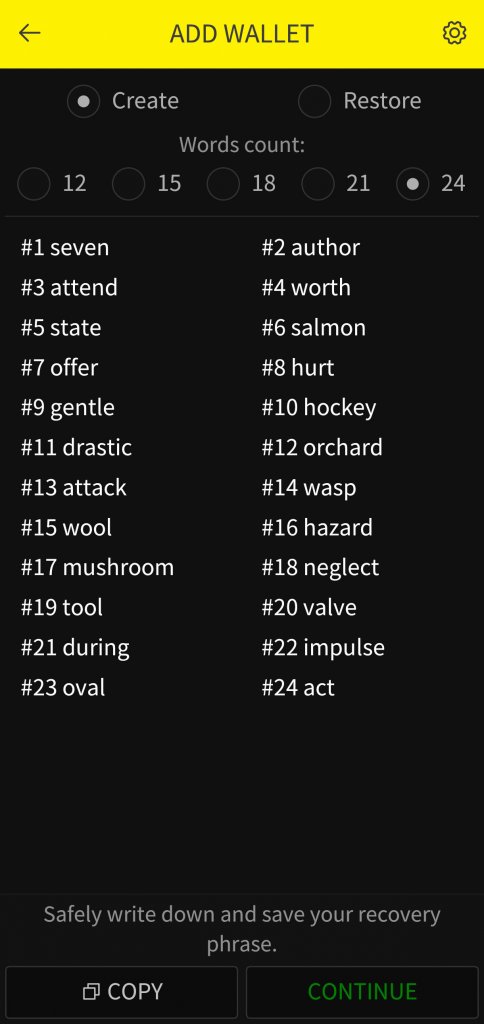
    To create a new wallet, select the “Create” option, write down your seed phrase, and click “Continue”:
    In the mobile version:
    To restore an existing wallet from a saved seed phrase, select the “Restore” option, enter the seed phrase, and click “Continue”.
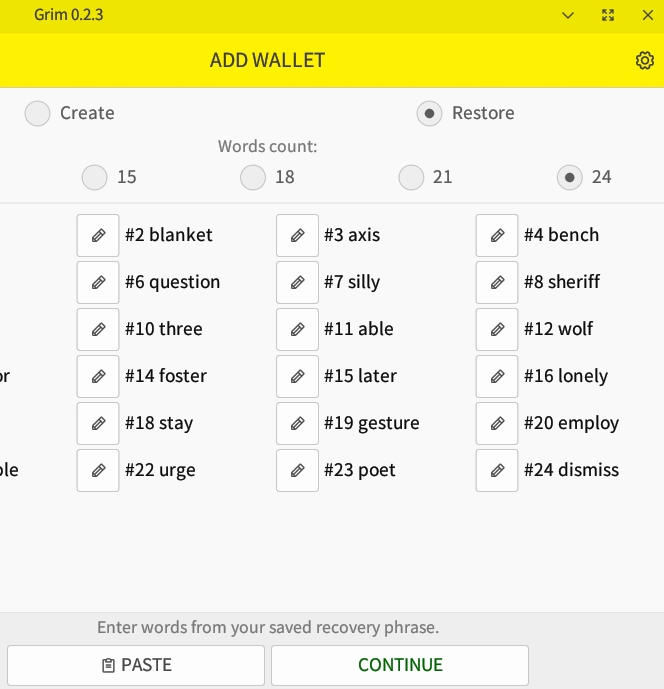
    In the mobile version, the process is as follows:
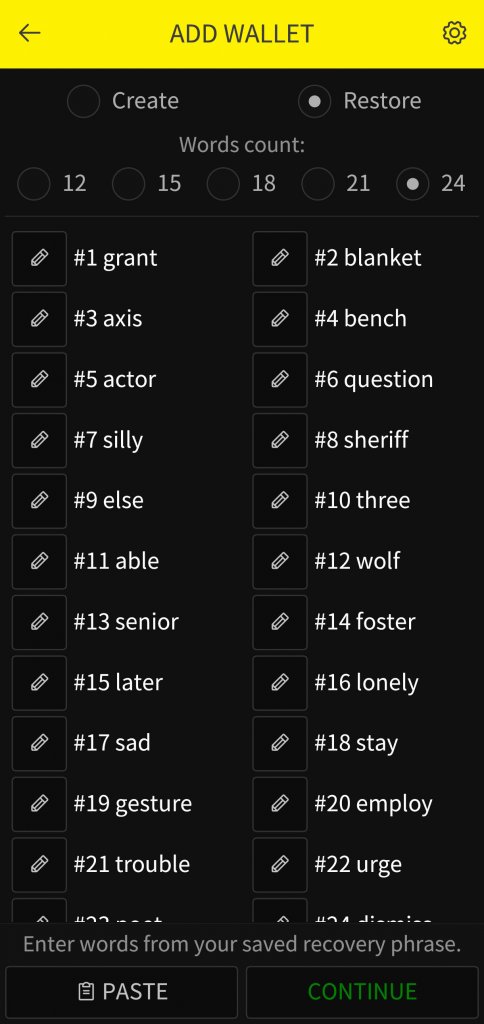
    If you used a seed phrase from the Grin++ wallet, your address in the GRIM wallet will match the address in the Grin++ wallet.

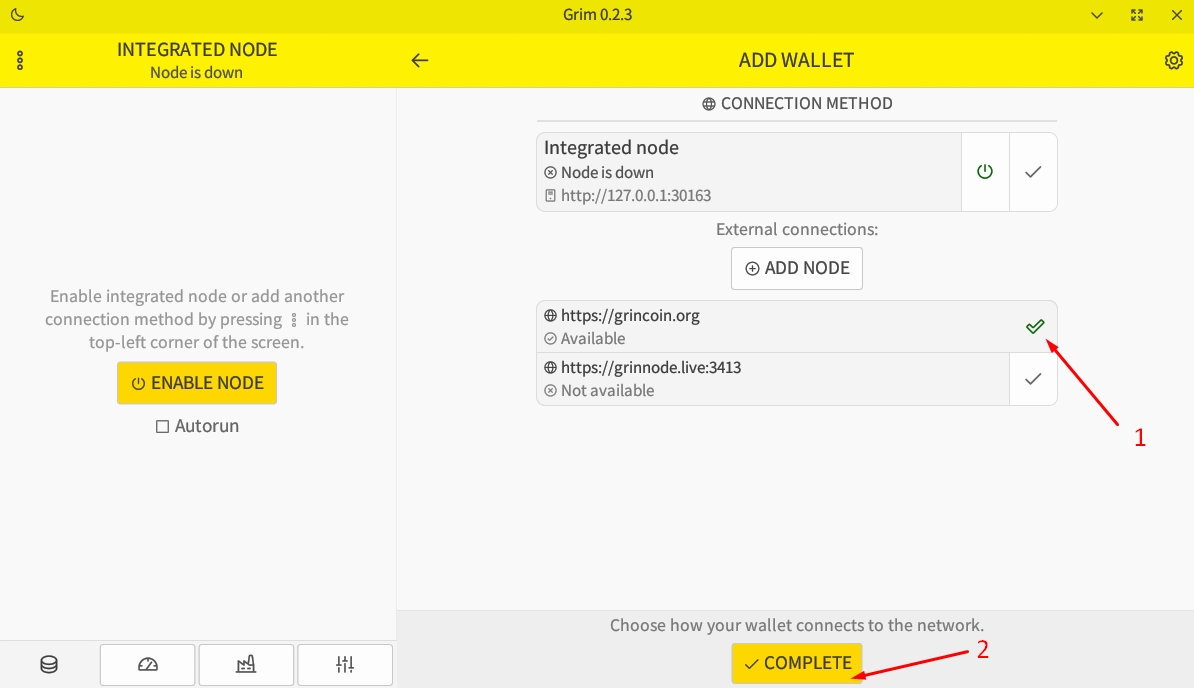
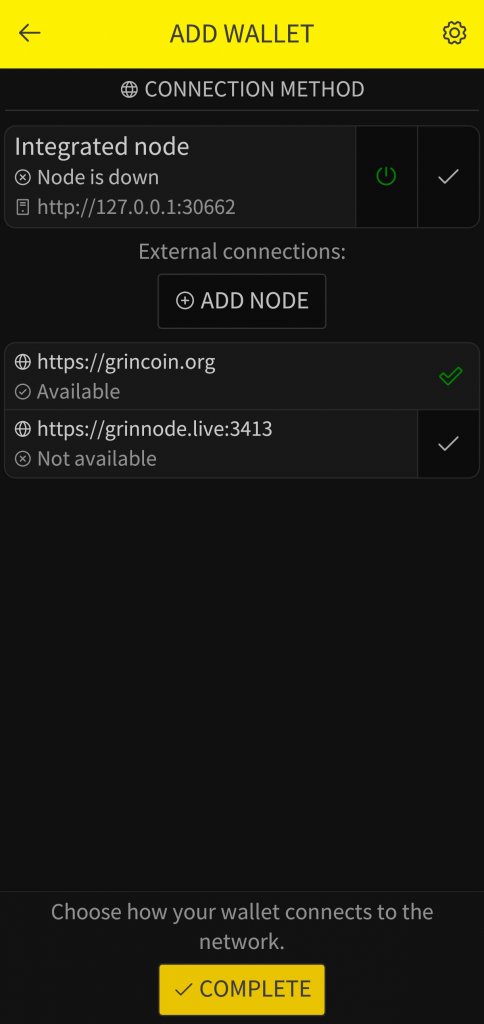
    Next, you need to choose how to connect your wallet to the network. We recommend choosing the external connection grincoin.org:
    In the mobile version:
    Wait for the wallet to load and go to the “Transport” tab:

    In the mobile version:
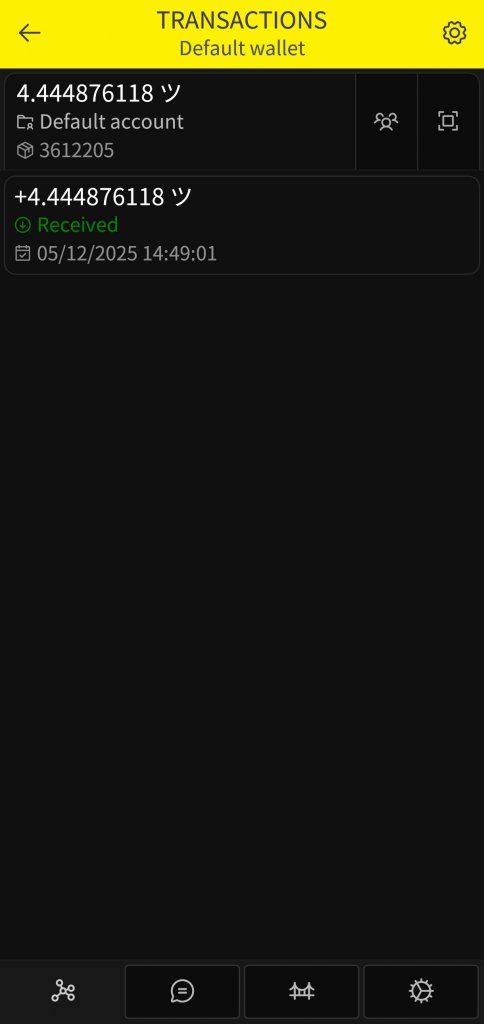
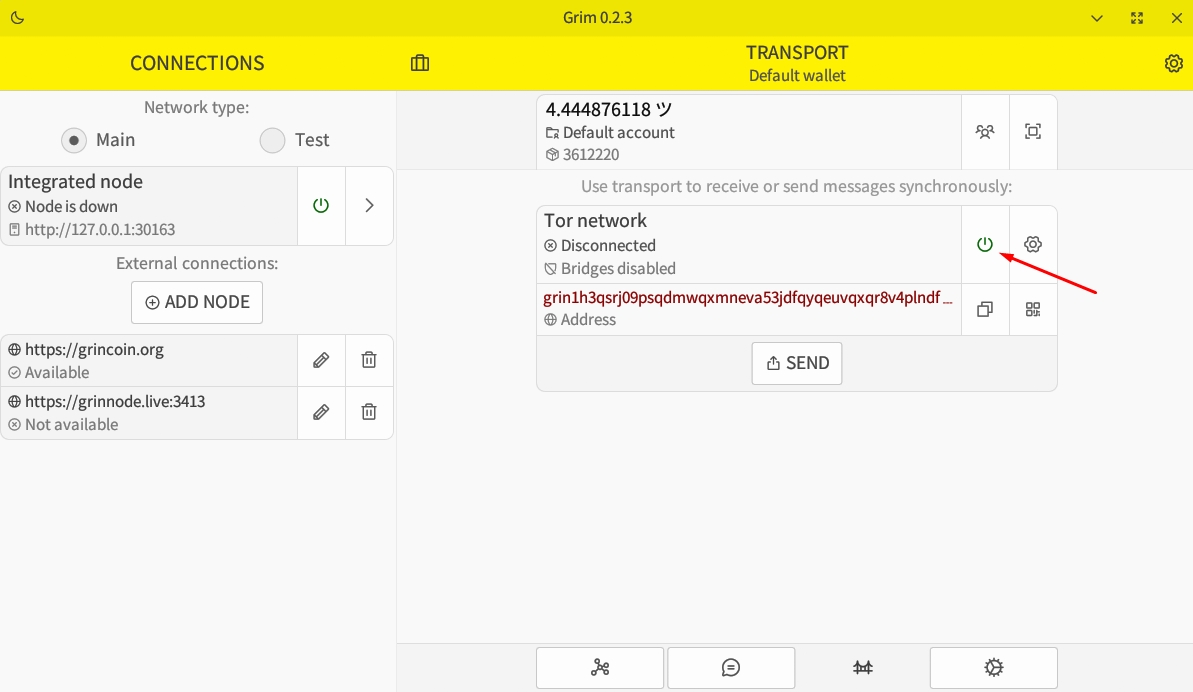
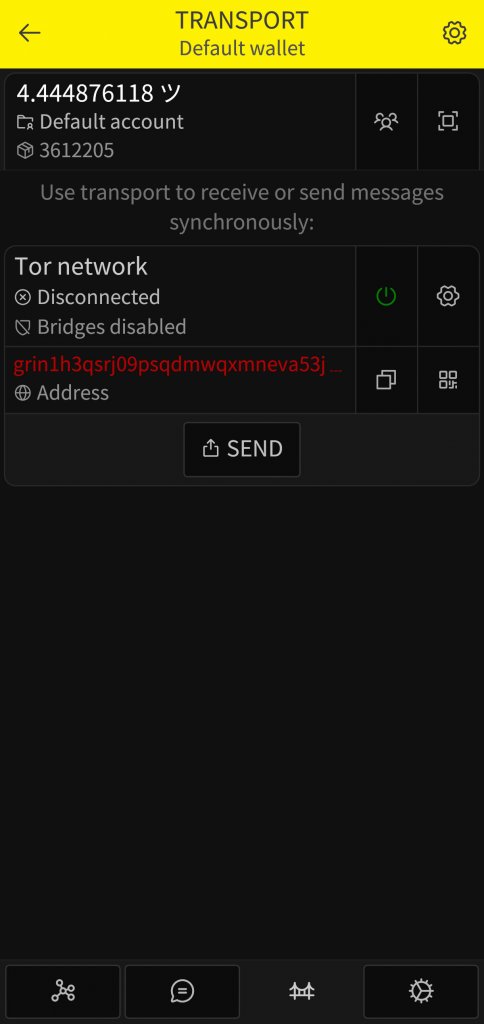
    In the “Transport” tab, you must enable Tor and wait for the connection:
    In the mobile version:
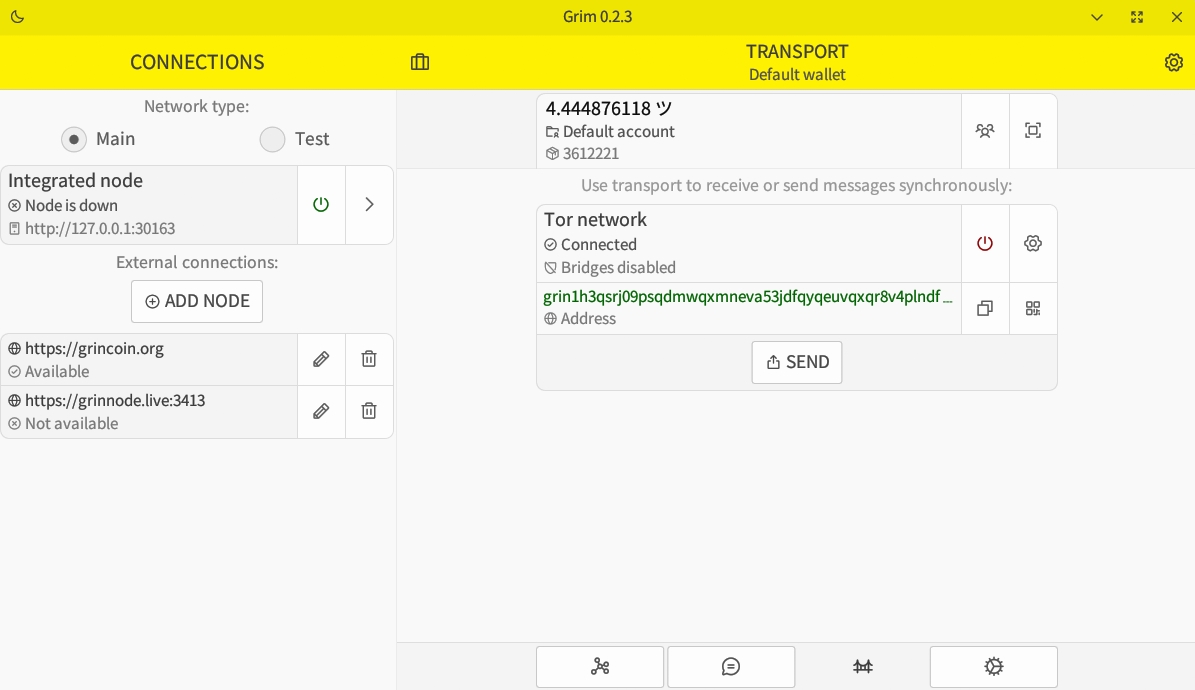
    After Tor connects, its status will change to “Connected”, and your address will be highlighted in green:
    In the mobile version:
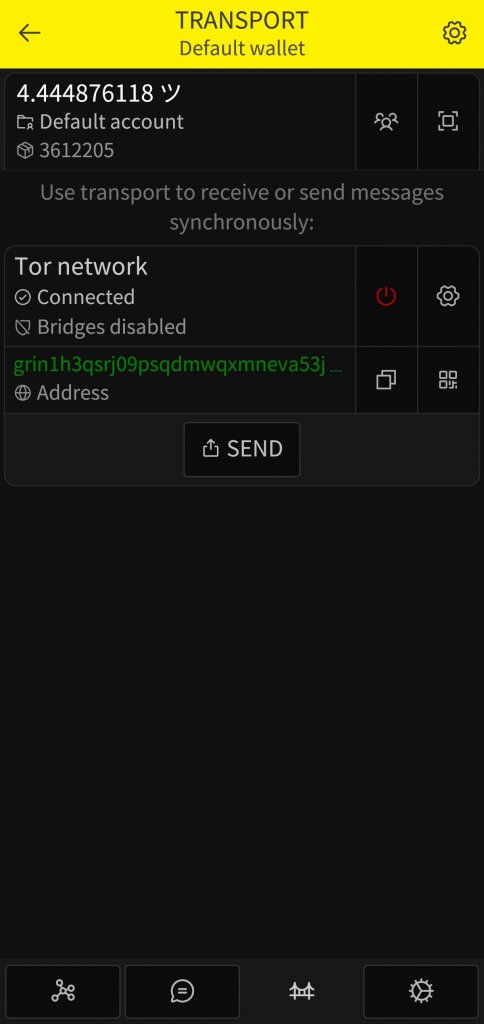
    This completes the setup of the GRIM wallet for receiving GRIN payouts from the pool. Your address is now available to receive payouts. We check the availability of your wallet using this tool and see the following message:
    Do not close or change your wallet settings until the payout has been received. Typically, a new payout round for the GRIN pool begins every 6 hours.


    Source link

    Share. Facebook Twitter Pinterest LinkedIn Tumblr Email

    Related Posts

    Ledger Nano X in 2021 – What’s New and How to Not get Scammed – My Updated Review

    April 17, 2026

    USD to Crypto Beginner’s Guide

    April 17, 2026

    JST’s Third Buyback and Burn Breaches $21 Million

    April 16, 2026

    Is Bitcoin Mining Still Profitable in 2018?

    April 16, 2026
    Add A Comment
    Leave A Reply Cancel Reply

    TOP POSTS

    UK fintech Paymentology expands into Australia, powering the next generation of fintech innovation

    April 17, 2026

    Lifetime Value

    April 17, 2026

    Kraken API Unlocked: momentum strategies on Kraken

    April 17, 2026

    BackerKit at Gen Con 2025

    April 17, 2026

    Subscribe to Updates

    Get the latest creative news from Binanceplan about Altcoin, Binance and Bitcoin.

    Please enable JavaScript in your browser to complete this form.
    Loading

    Welcome to BinancePlan.blog — your trusted source for learning, strategies, and insights in the world of cryptocurrency, with a strong focus on Binance and digital asset growth.At BinancePlan, our mission is simple: to make crypto easy, understandable, and profitable for everyone — whether you’re a complete beginner or an experienced trader.

    Top Insights

    UK fintech Paymentology expands into Australia, powering the next generation of fintech innovation

    April 17, 2026

    Lifetime Value

    April 17, 2026

    Kraken API Unlocked: momentum strategies on Kraken

    April 17, 2026
    Get Informed

    Subscribe to Updates

    Get the latest creative news from Binanceplan about Altcoin, Binance and Bitcoin.

    Please enable JavaScript in your browser to complete this form.
    Loading
    • About Us
    • Contact Us
    • Disclaimer
    • Privacy Policy
    • Terms and Conditions
    Copyright© 2026 Binanceplan All Rights Reserved.

    Type above and press Enter to search. Press Esc to cancel.