

CoinPayments Integration Guide Steps
Overview of Step 4: Testing Your CoinPayments Integration
Now that you’ve integrated CoinPayments into your business and enabled additional features, it’s time for the final step: testing your setup.
To make this process seamless, CoinPayments provides a dedicated cryptocurrency for testing, called Litecoin Testnet (LTCT). LTCT is a free-to-use test coin with no real monetary value, specifically designed to help you simulate transactions and ensure your integration works flawlessly.
In this guide, we’ll walk you through:
Enable Litecoin Testnet Payments & Get Free LTCT
To test your CoinPayments integration, you’ll need to enable Litecoin Testnet payments and obtain free LTCT. Here’s how to set it up:
- Access the Balances Tab:
- Go to the Balances tab on your CoinPayments dashboard.
- Locate the LTCT Wallet:
- The Litecoin Testnet (LTCT) wallet will be listed at the top.
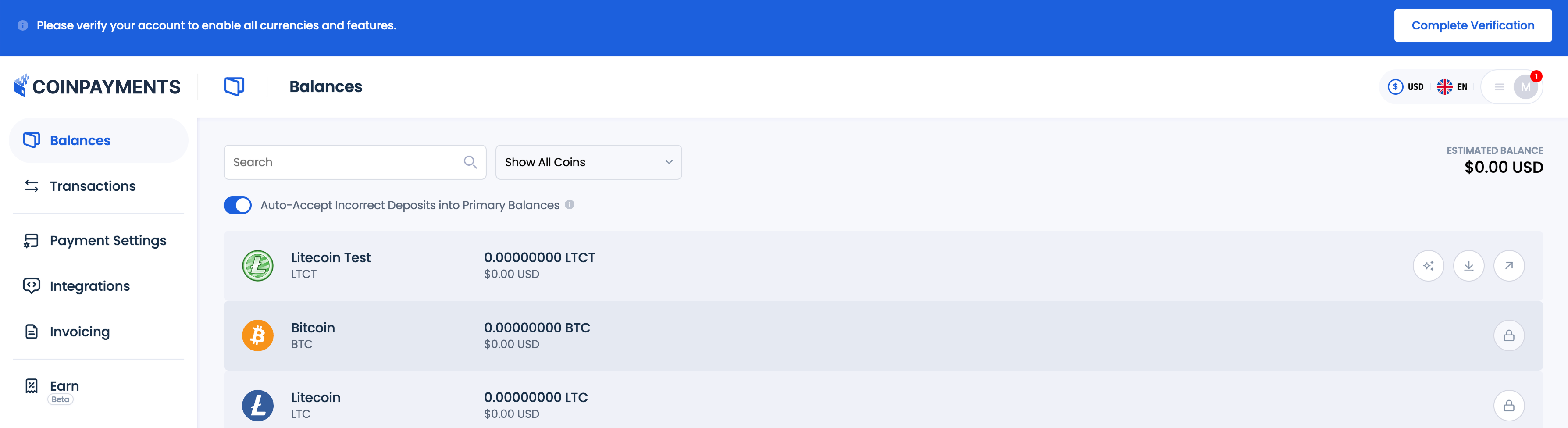
- Get Free LTCT:
- Click the Get Free LTCT button to enable LTCT payments.
- Refresh the Balances page after a few seconds to see your updated balance.

- You should receive 10 LTCT in your wallet for testing purposes.

Important Notes About LTCT:
- LTCT operates on an alternate blockchain solely for testing and experimental purposes. These coins have no monetary value and may be reset by developers in future versions.
- Within the CoinPayments system, LTCT has an artificial exchange rate of 1 LTCT = 1 LTC.
- Regular Litecoin and LTCT addresses are different, and transactions between the two blockchains are not possible.
- If your CoinPayments LTCT wallet remains inactive for 7 days, any remaining LTCT coins are returned to the pool.
Test Your Integration
After enabling LTCT and receiving your test balance, it’s time to ensure your integration works as intended by simulating a transaction. Here’s how to perform the test:
Create a Test Transaction
- Generate a Payment Option:
- Create an invoice using the Invoicing Tool, a payment button via the Payment Buttons Builder, or any other integration method you’ve set up.
- Access the Payment Interface:
- Open the invoice or payment button in a new browser tab and proceed to the CoinPayments Checkout step.
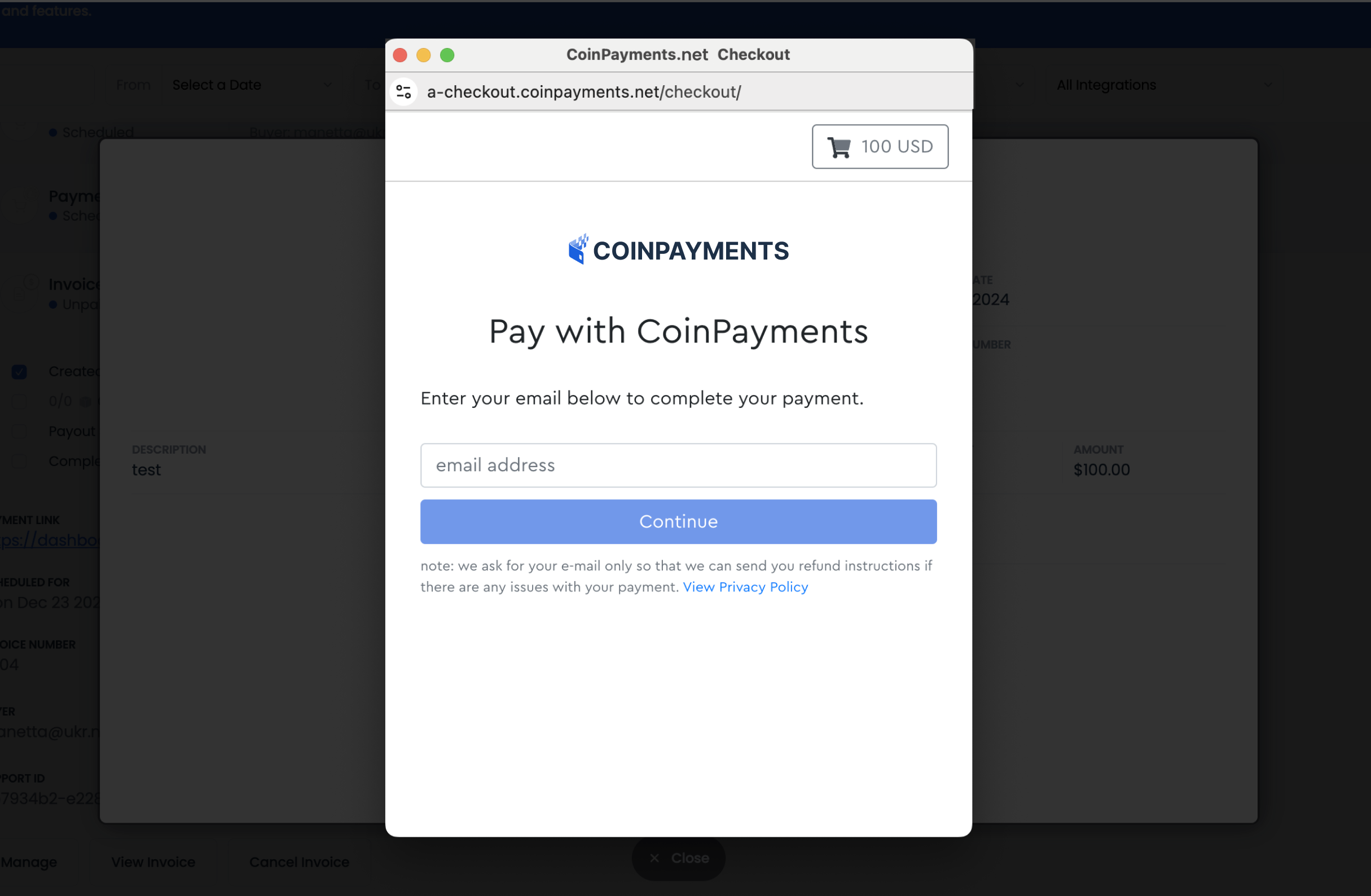
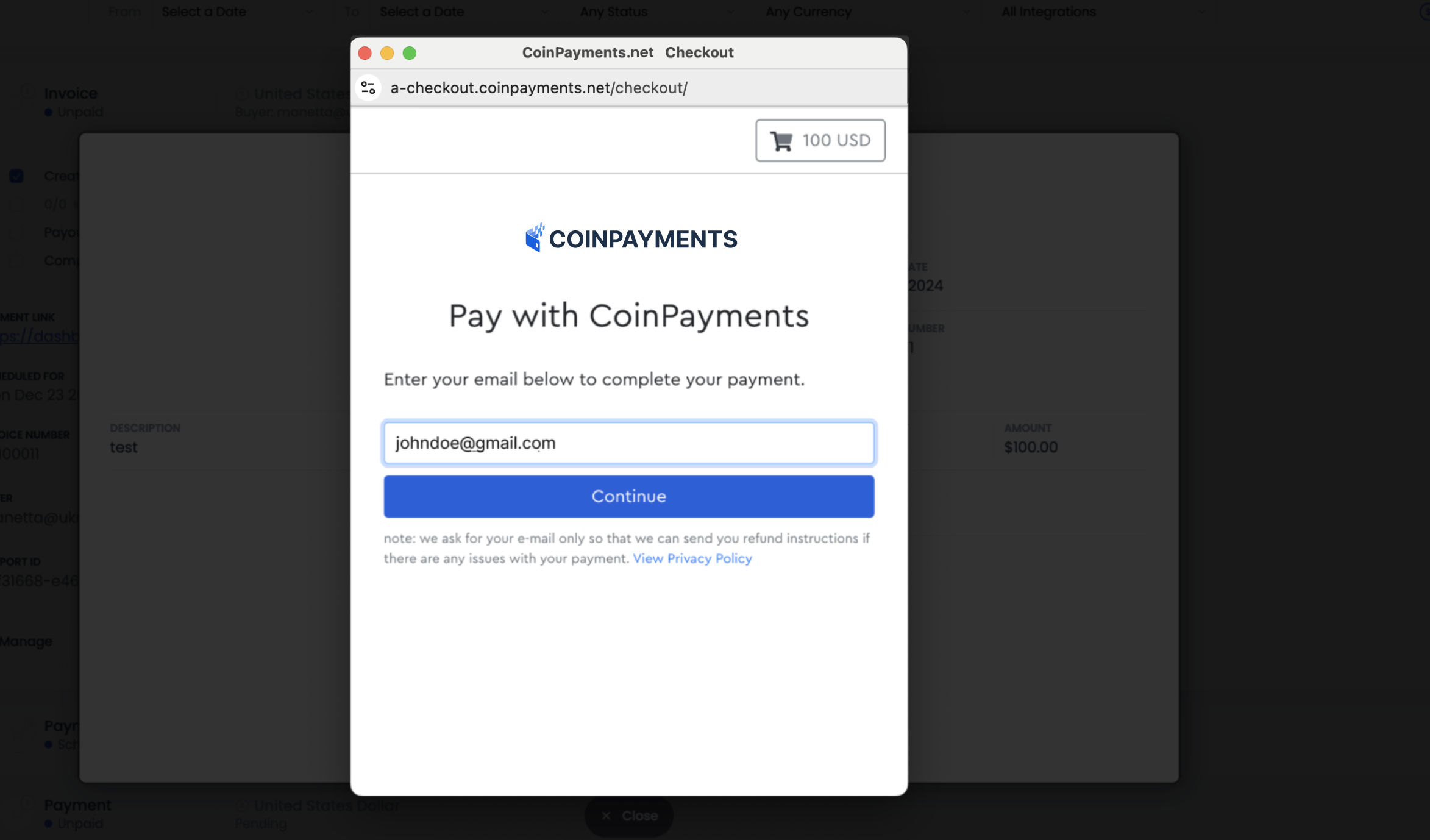
- Enter an email address for potential refunds, then click Continue.
- Select LTCT as the Payment Method:
- On the Coin Selection screen, choose Litecoin Testnet (LTCT) as the payment currency and click Next.
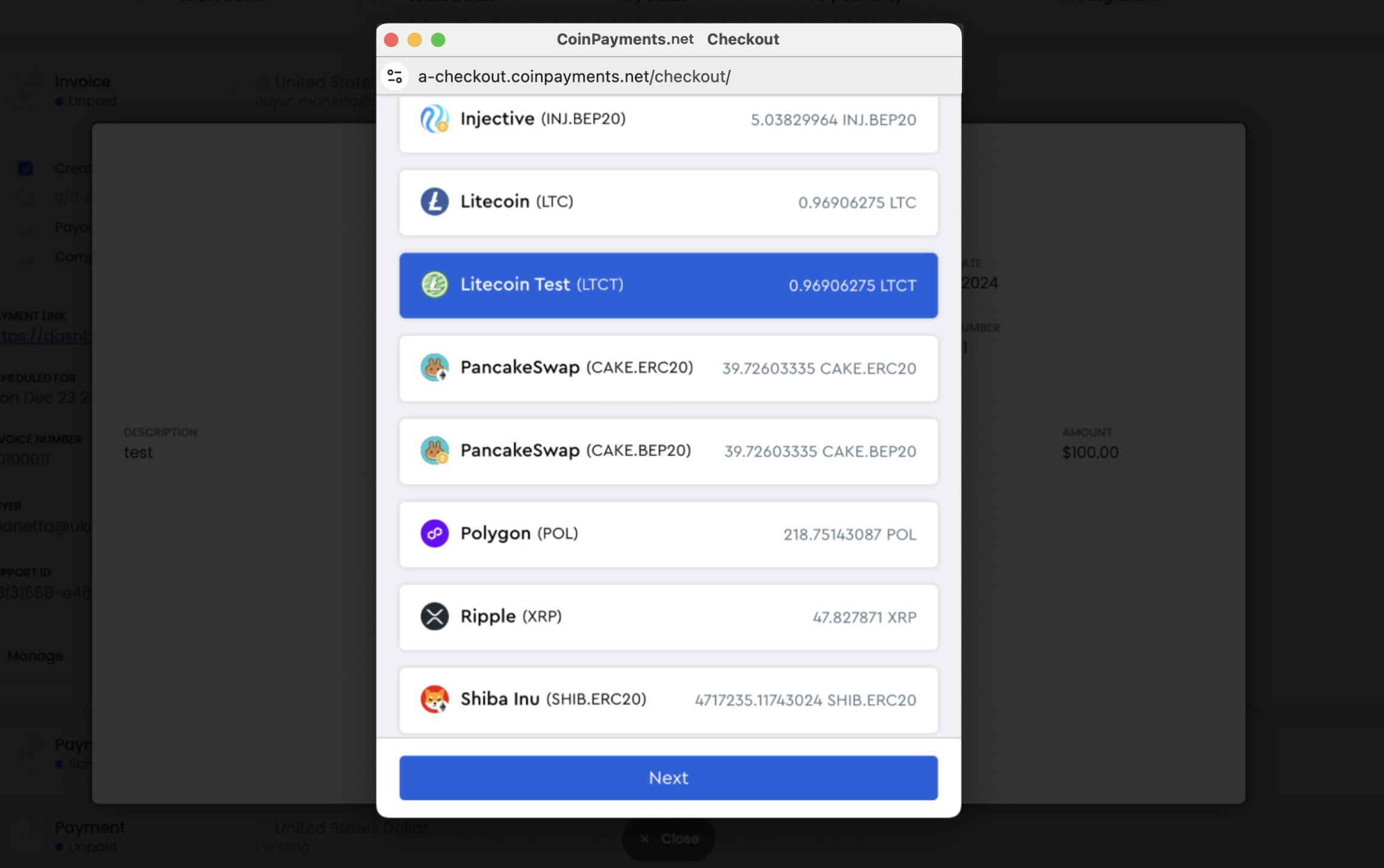
Note: if you have not completed account verification yet, LTCT will be your only option for payment and this step will be skipped automatically.
- Review the Checkout Details:
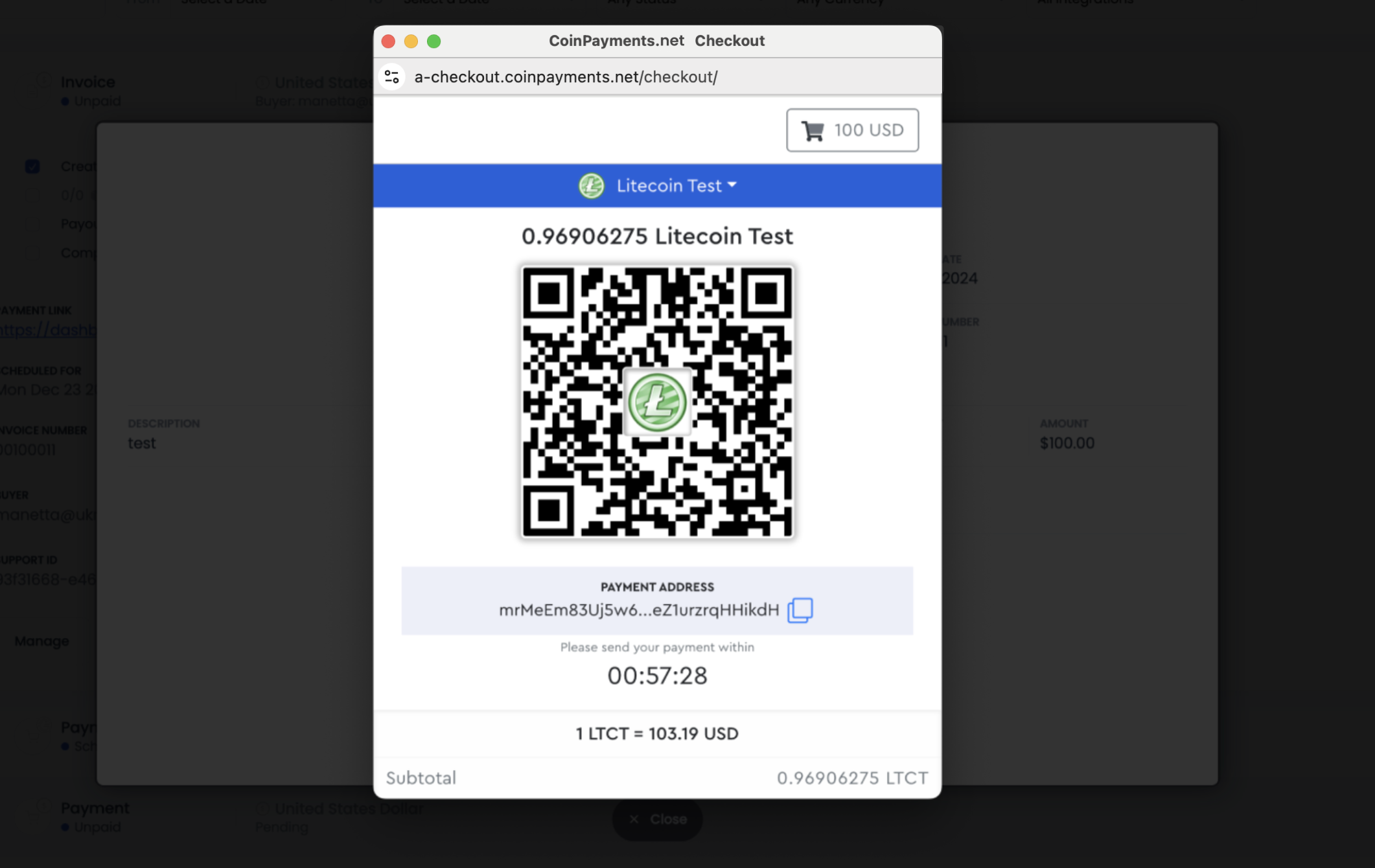
- On the final Checkout page, you will see:
- The LTCT payment address.
- A QR code for the payment.
- A payment timer.
- On the final Checkout page, you will see:
- Initiate the Payment:
- Copy the LTCT payment address and note the payment amount.
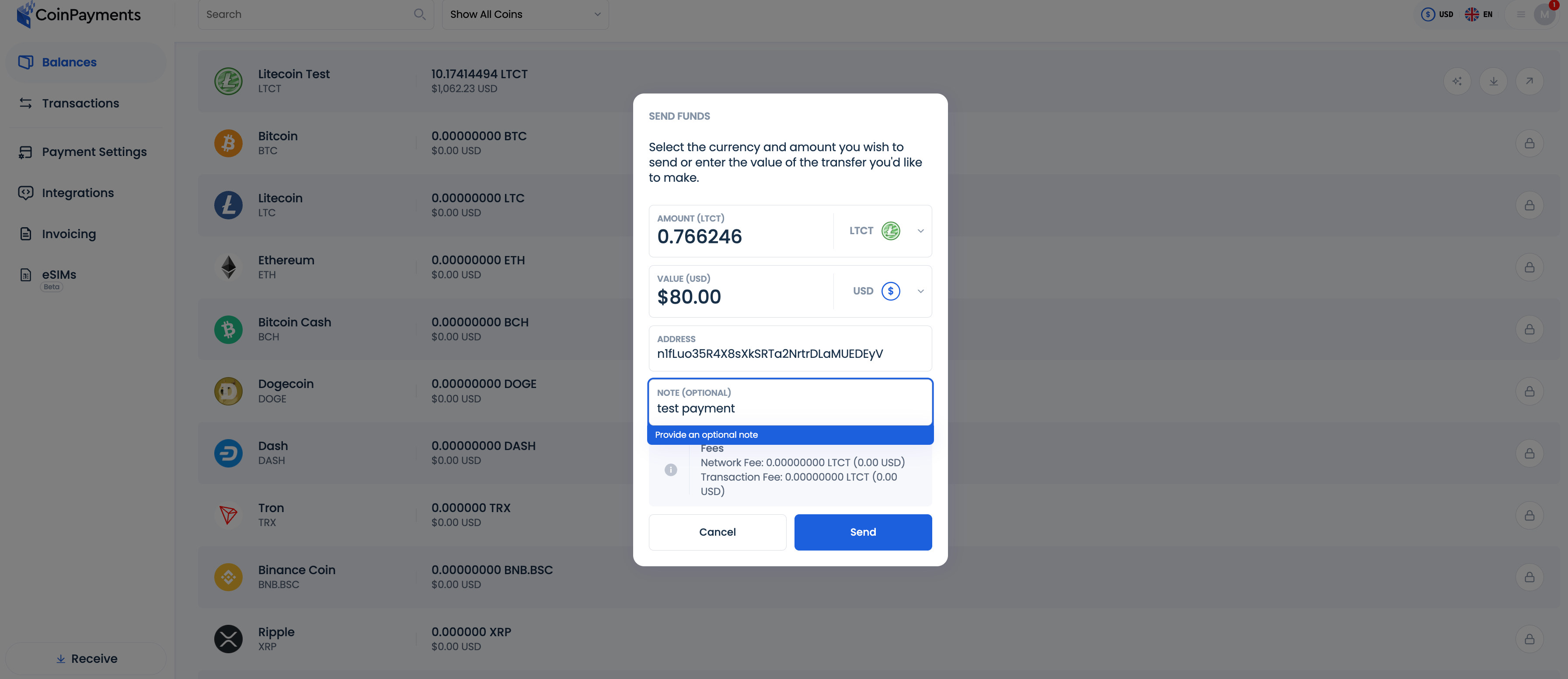
- Go to your Balances tab, select the Litecoin Testnet Wallet, and click Send.

- Enter the amount of LTCT to send and paste the payment address.
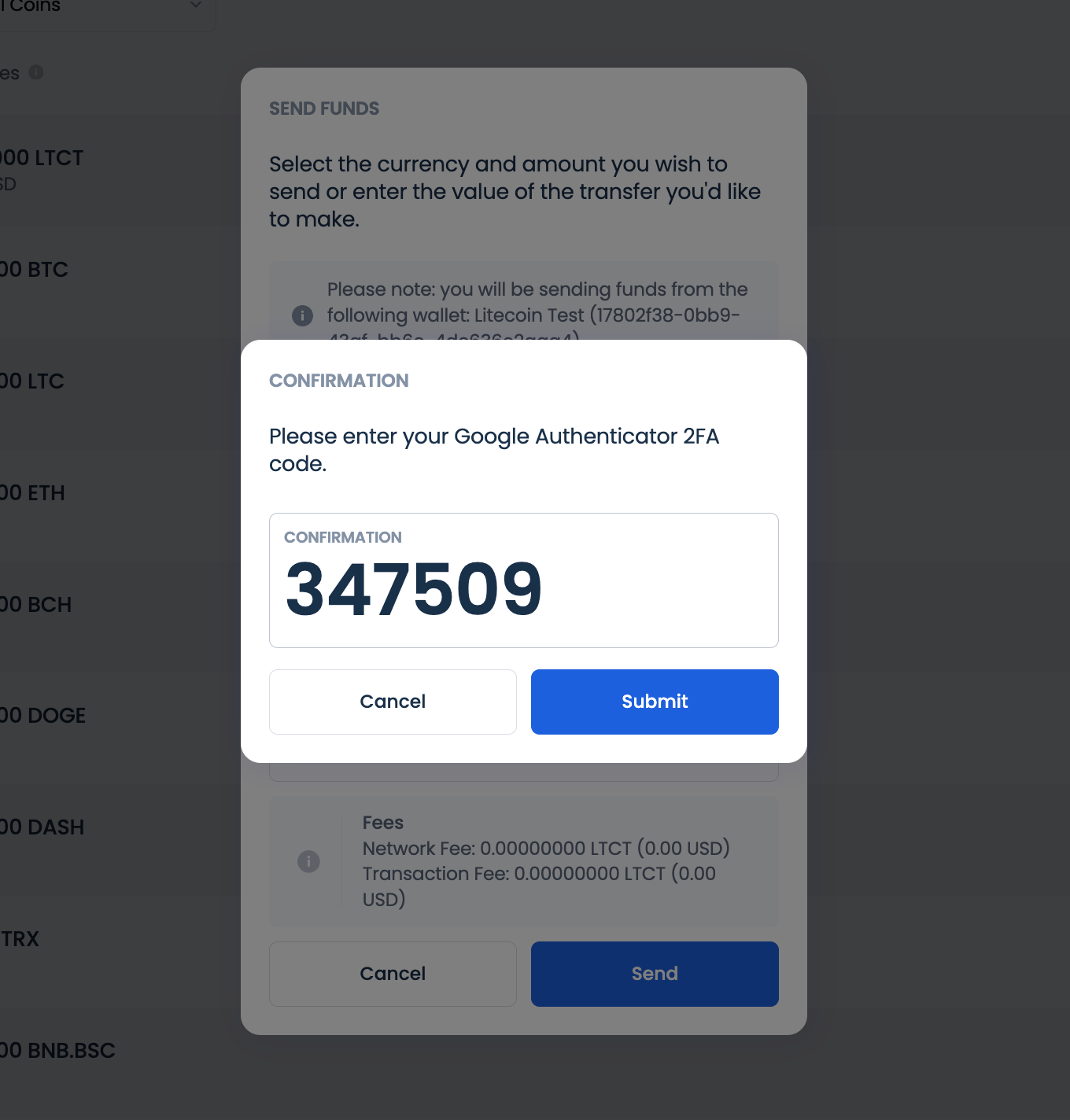
- Confirm the transaction by entering your 2FA code, then click Submit.
- Confirm the transaction by entering your 2FA code, then click Submit.
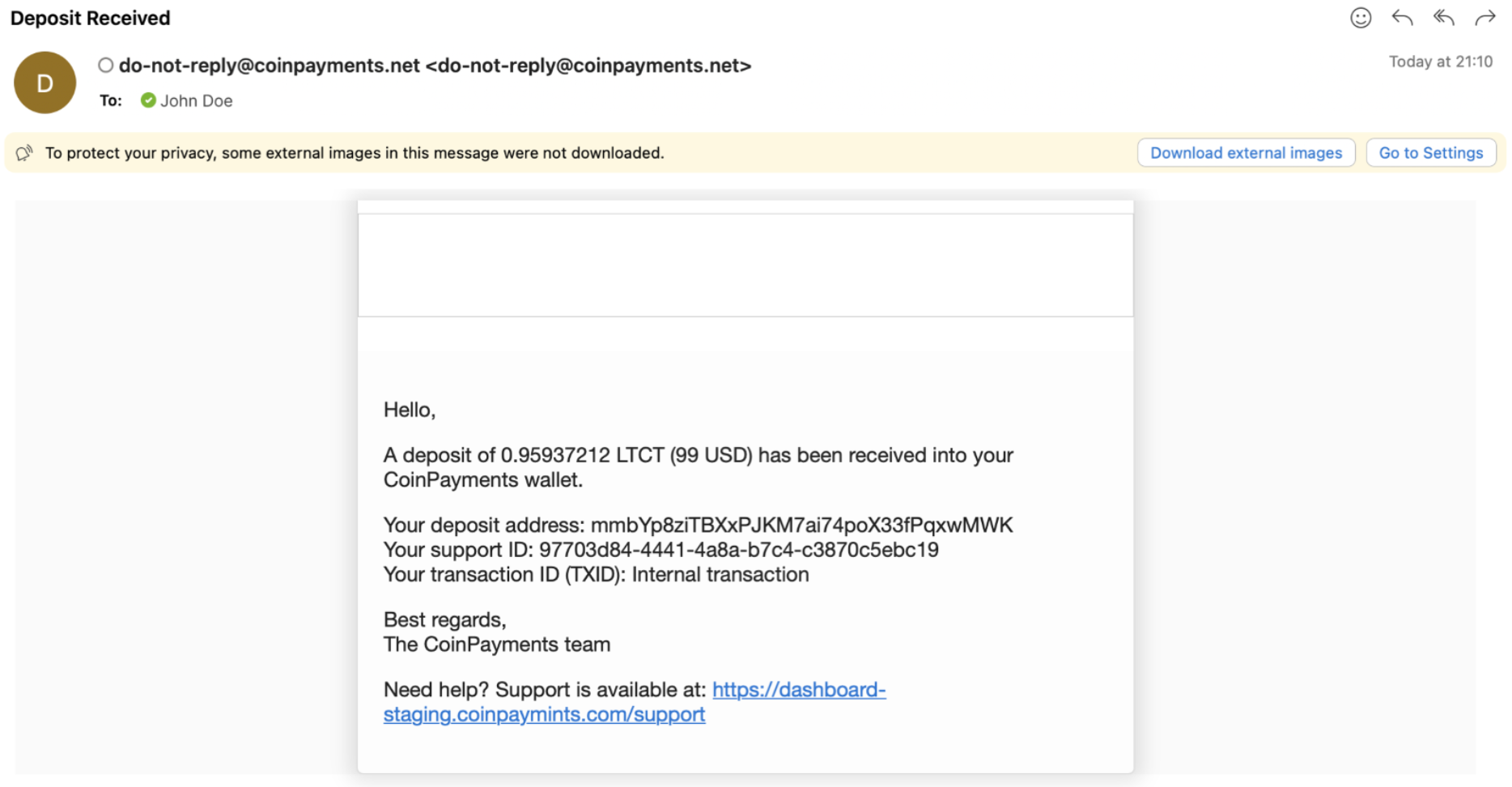
- You will receive an email notification of the payment initiated.
- Alternative Payment Option:
- Use the CoinPayments mobile app to scan the QR code and send the LTCT payment directly.
Verify the Test Transaction
Once the payment is completed and has received the required blockchain confirmations, verify the following:
- Does your eCommerce store update the payment status correctly (e.g., indicate readiness for the next step such as shipping or download)?
- Is the incoming payment logged as Complete in your CoinPayments Transactions tab?
If all these elements work as expected, your integration is functioning correctly, and you’re ready to start accepting real crypto payments in your business.
Disable Litecoin Testnet Payments
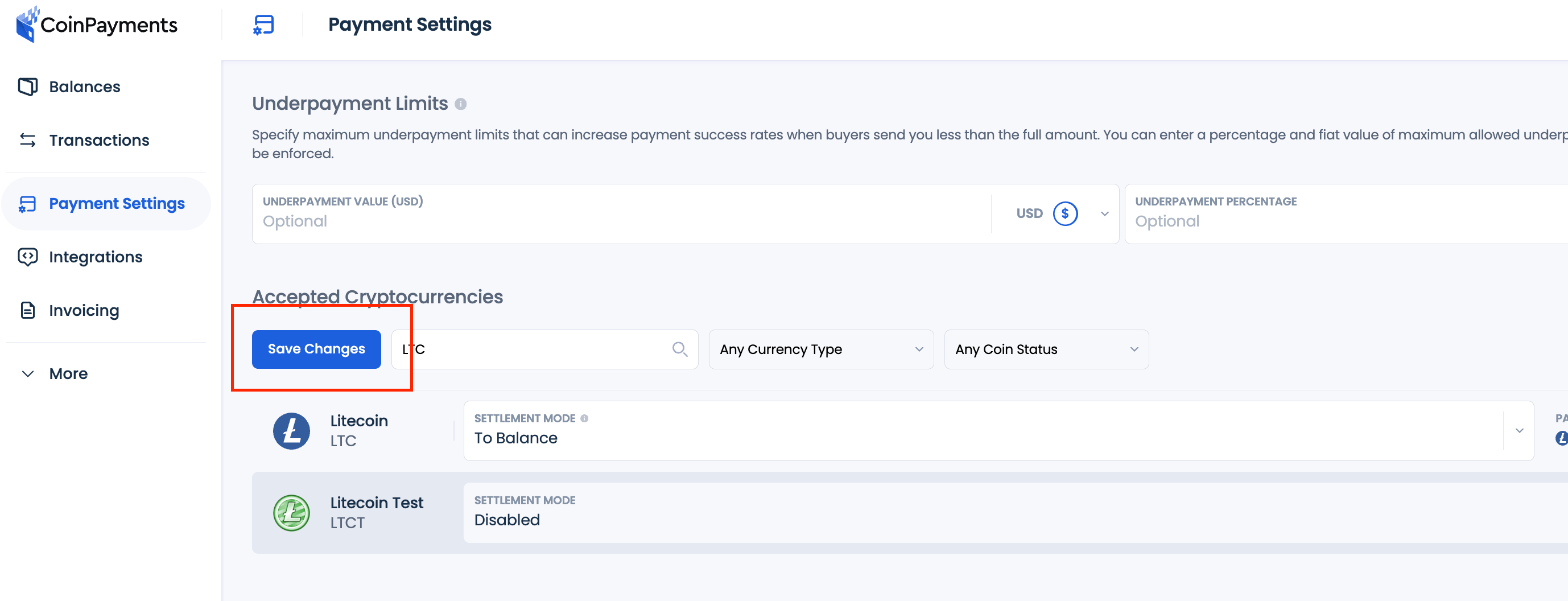
- Log into your CoinPayments account and click the Payment Settings tab in the main dashboard menu.
- Search for Litecoin Testnet (LTCT) in the list of payment currencies.
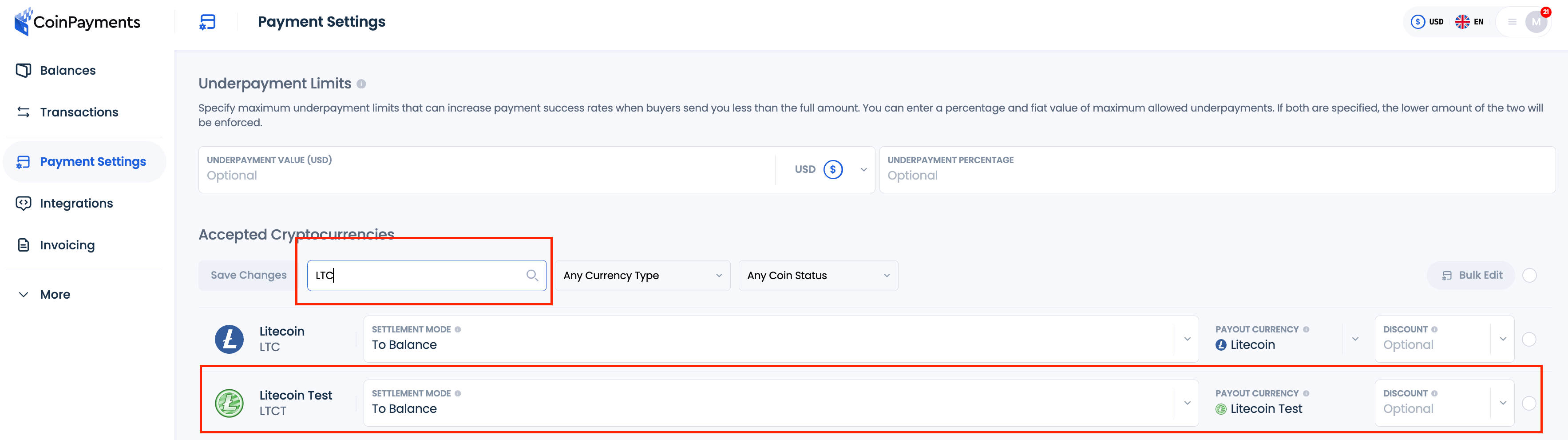
- Click on the Settlement mode field. Select Disabled from the dropdown list.
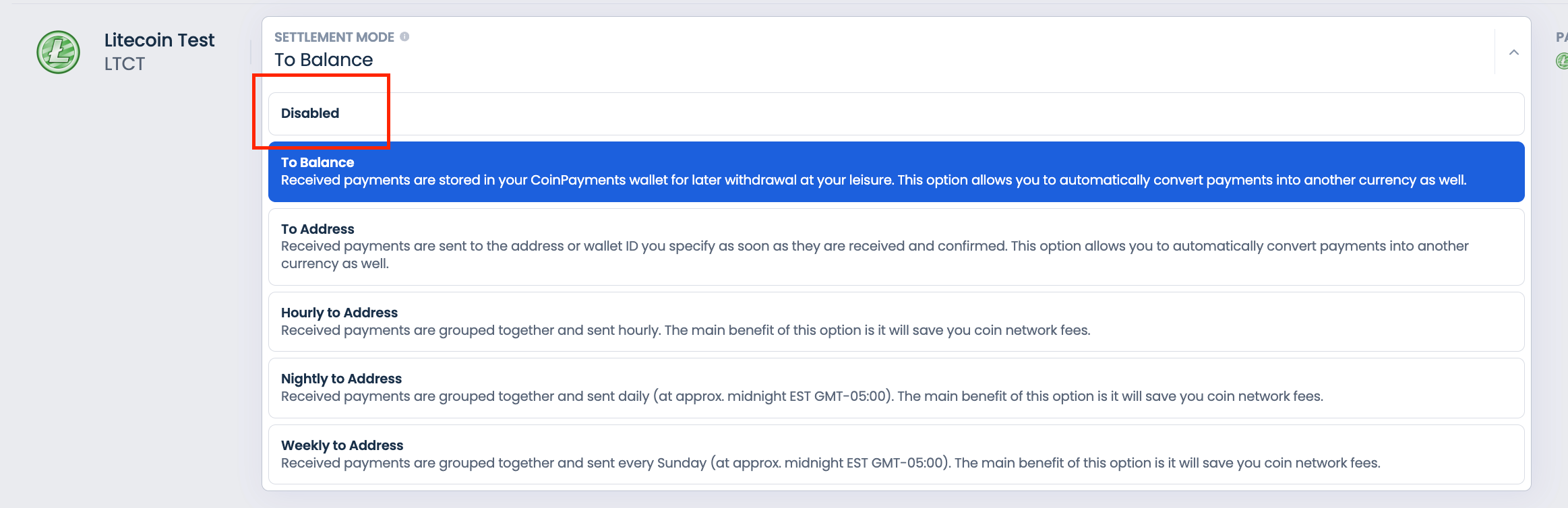
- Click Save Changes. Now you have disabled payments with LTCT.
Support Requests
If you encounter any issues during the testing process or experience problems with your CoinPayments integration, our support team is here to assist you. Follow these steps to submit a support ticket:
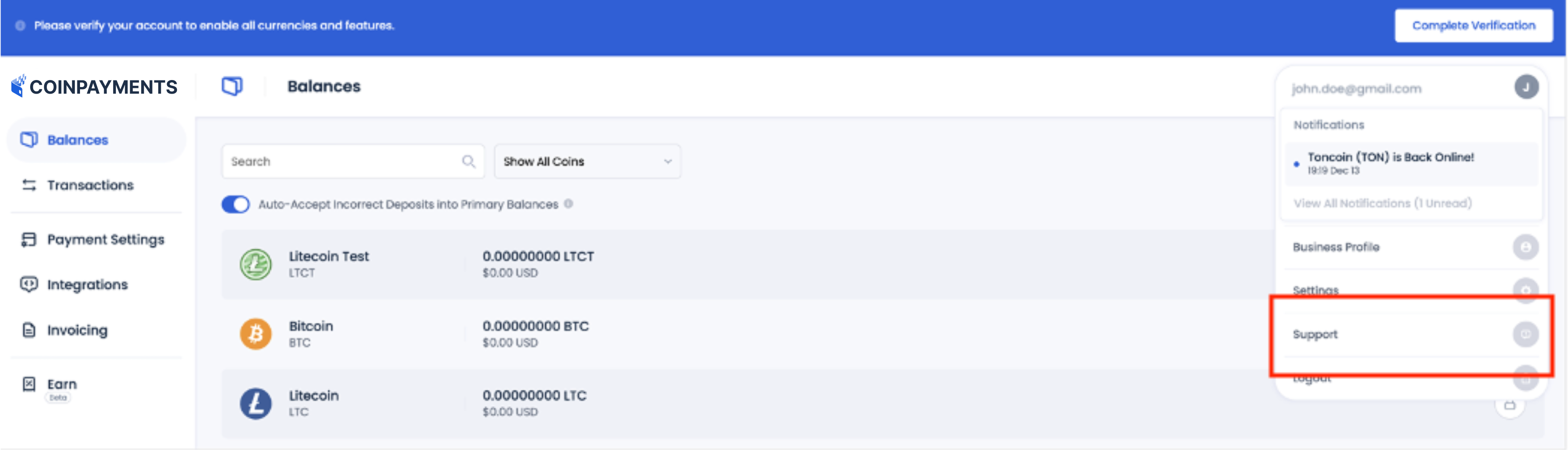
- Access the Support Option:
- Go to the Account Menu on your dashboard and select Support.
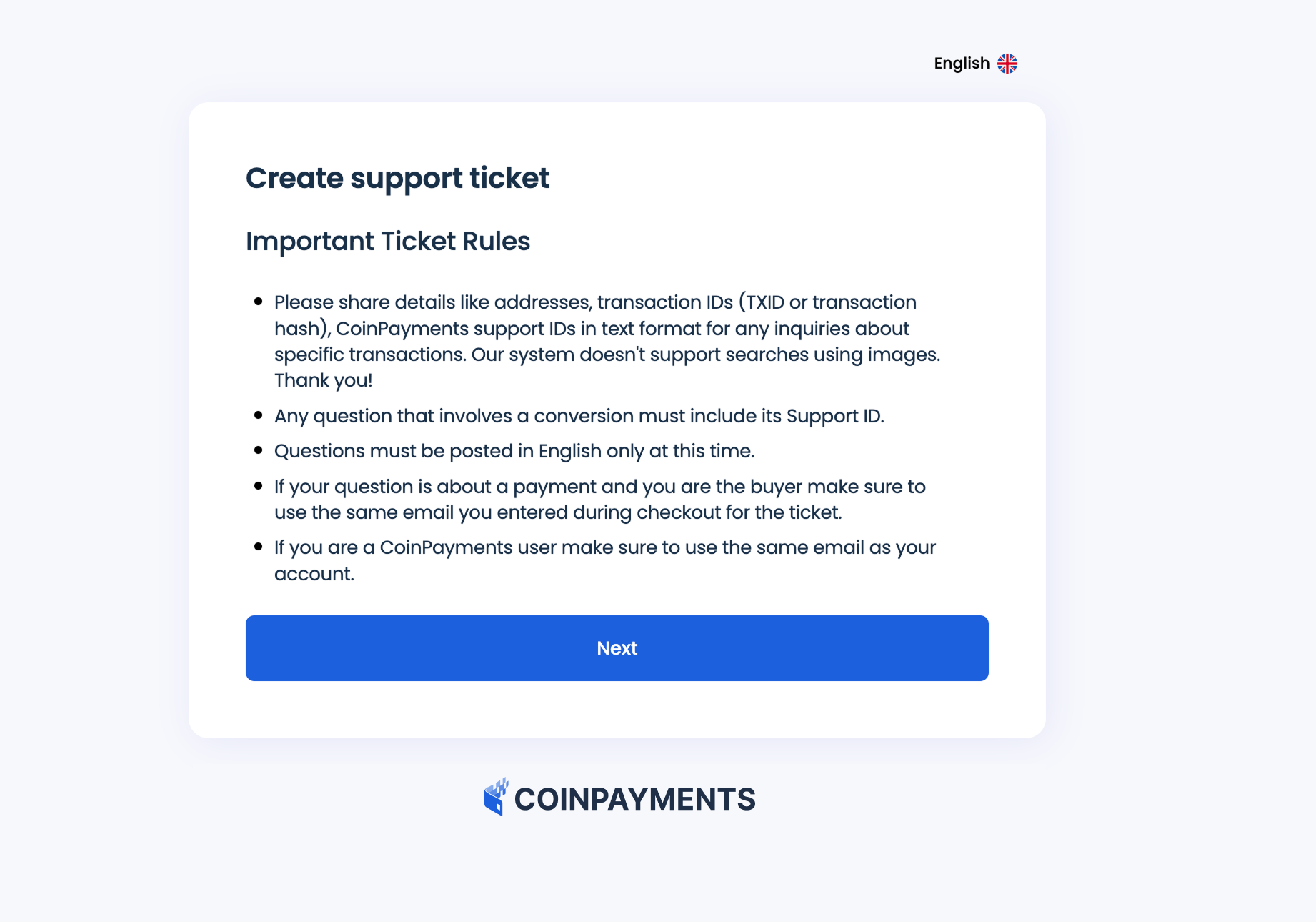
- Provide Details:
- Describe the issue you’re encountering in detail. Include:
- The integration method used (e.g., invoicing tool, payment buttons).
- Steps taken during testing.
- Any error messages or unexpected results.
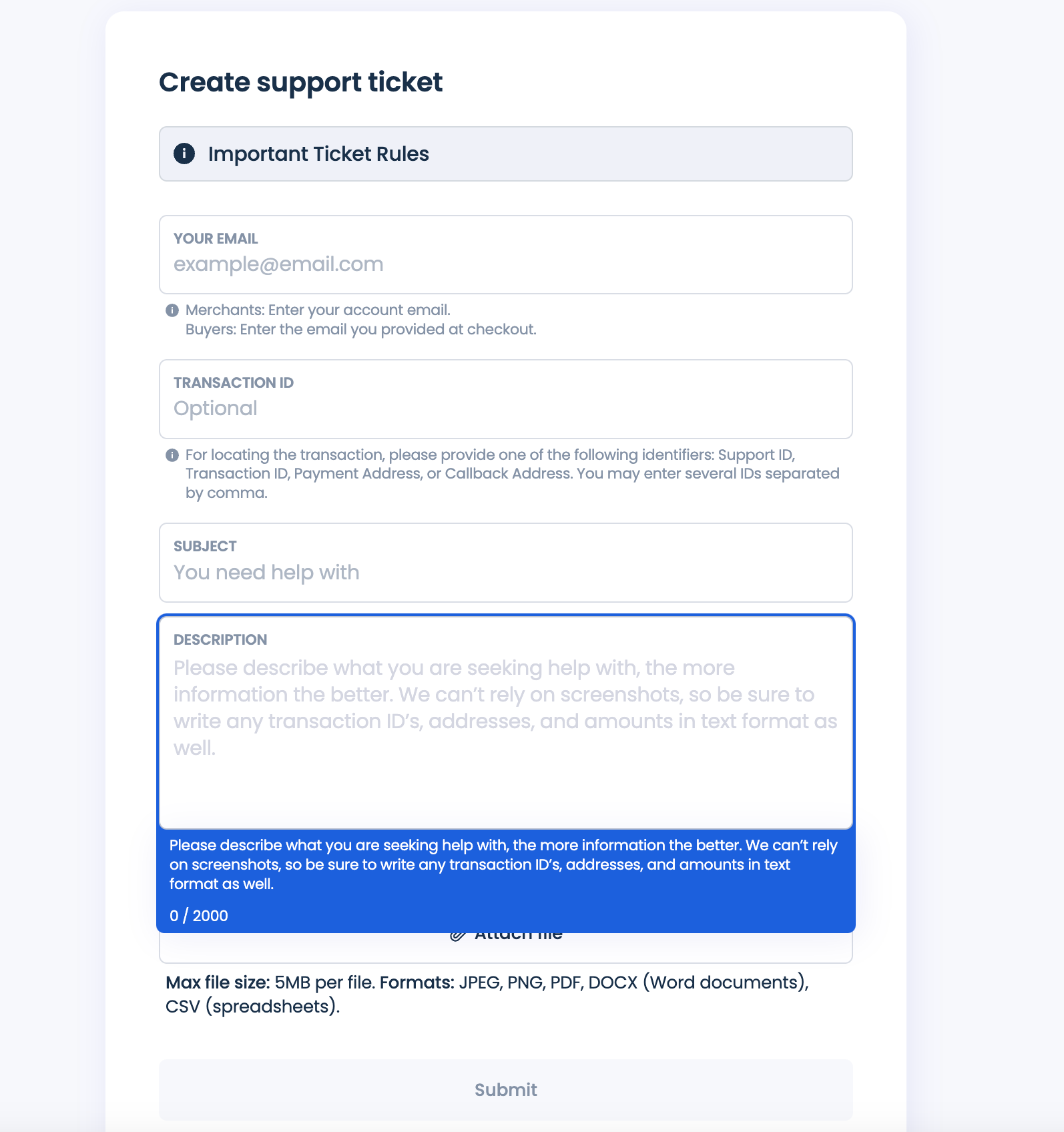
- Submit Your Ticket:
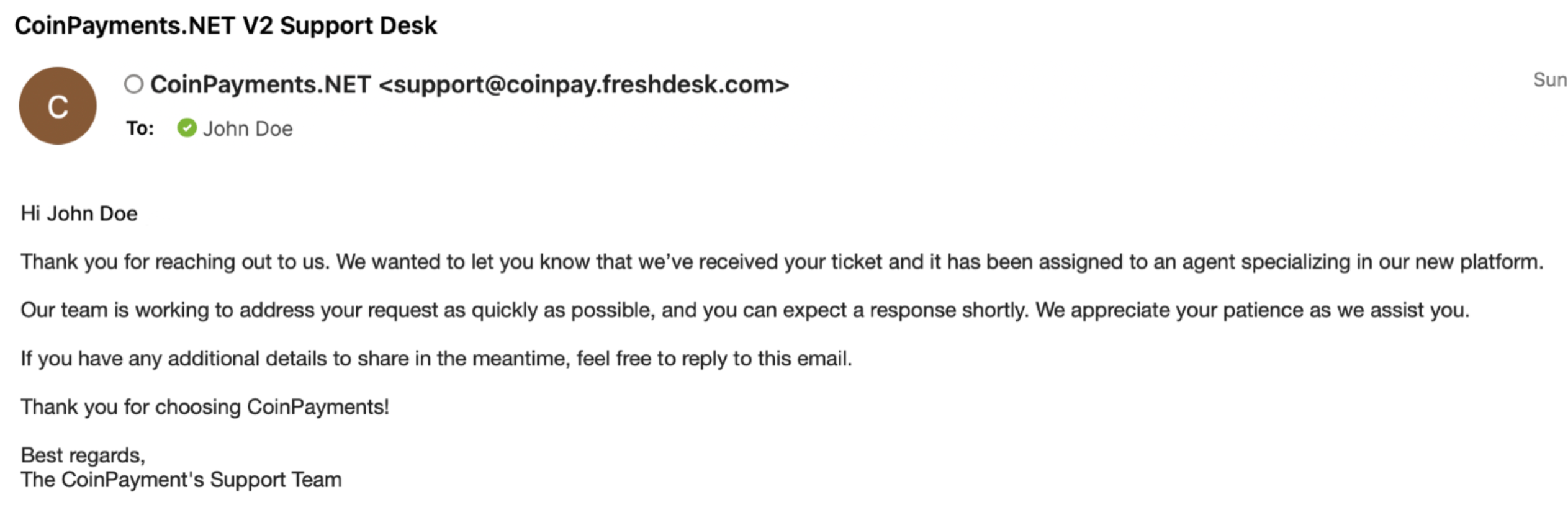
- Once your support ticket is submitted, you will receive a confirmation email.
- Track Your Ticket:
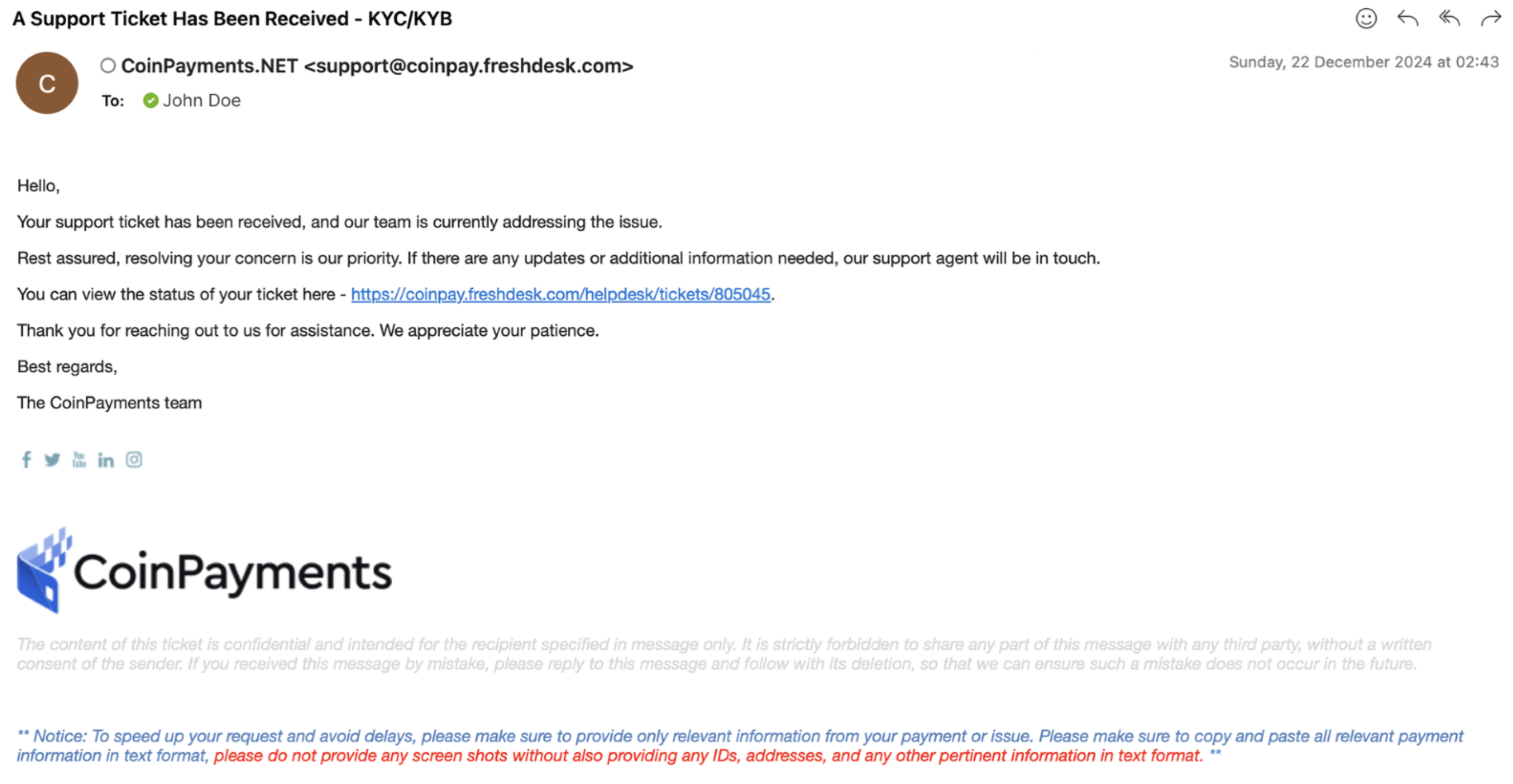
- You’ll also receive an email with your ticket number and a link to track the status of your request.
- Resolution Timeline:
- Our support team typically responds to tickets within 24 hours.
- A customer support representative will contact you via email to assist with resolving your issue.