

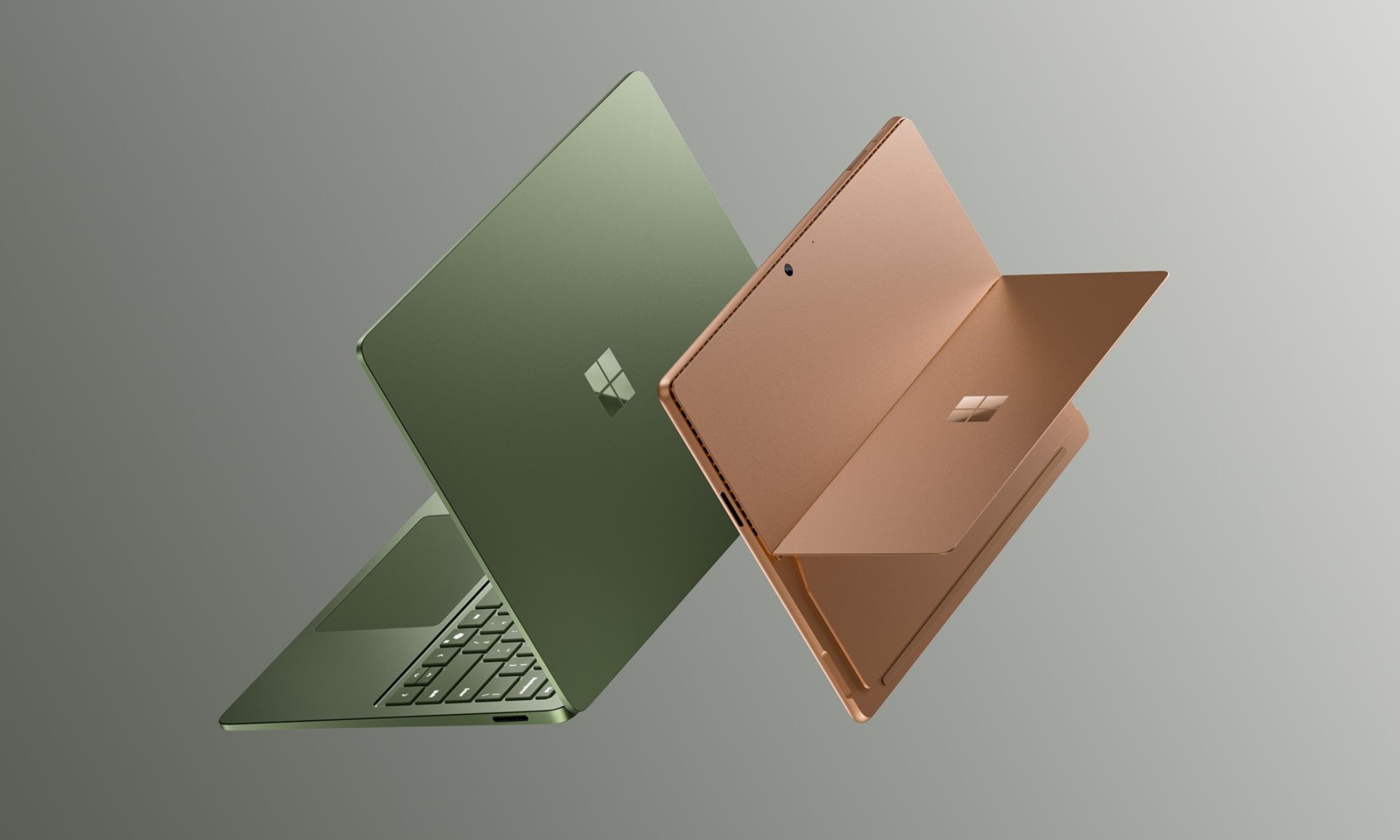

Microsoft just refreshed two of its best-known machines on the same day, and now you’re stuck between them. The Surface Pro 13-inch (12th Edition) and the Surface Laptop (8th Edition) share plenty of DNA. They each run the new Snapdragon X2 silicon, carry that lovely 3:2 screen, and… land in premium price territory. So the Surface Pro (12th Edition) vs. Surface Laptop (8th Edition) choice comes down to something personal.
One folds into a tablet and travels light, while the other hands you a finished laptop the moment you open the box. I’ve spent my working life on a clamshell, with an M3 MacBook Air riding in my bag every day, so I get the pull of a machine that works without accessories. Let me help you break the tie.
The short answer
Your decision comes down to convenience versus flexibility. Buy the Surface Laptop when you want one premium machine that works out of the box, with more storage at the base price and battery that outlasts a workday. Choose the Surface Pro when tablet flexibility, pen input, or an OLED screen outrank everything else, and budget for the keyboard, because it doesn’t come included.
Head-to-head
Form factor and flexibility
Start with the obvious split. The Surface Pro works as a tablet first, snapping into a keyboard when you need to type and detaching when you want to sketch or read on the couch. Meanwhile, the Surface Laptop stays a clamshell, with a hinge that holds at any angle and a deck that sits steady on your lap. For pure versatility, the Pro wins outright, since nothing in the Laptop’s design matches working as a standalone slate with the Slim Pen.
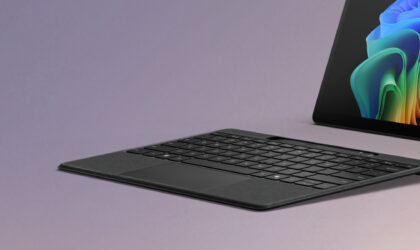
Microsoft Surface Pro 13-inch Flex Keyboard – Black
Add the Surface Pro Flex Keyboard to your Surface Pro to keep the complete power and versatility of Windows at your fingertips.
The true entry price
Sticker prices mislead on these two. The Surface Pro starts at $1,499, which reads as the cheaper entry until you remember the keyboard sells separately, anywhere from about $170 for the standard cover to $360 for the Flex version. Microsoft’s Surface Laptop opens at $1,599 with everything you need plus double the base storage, 512 GB against the Pro’s 256 GB. On out-of-the-box value, the Surface Laptop takes it, even with a launch promo tossing a free keyboard onto the Pro through June 30.
The display
Screens separate these machines in a way the spec sheet almost hides. The Surface Pro offers an optional OLED panel on its higher configurations, bringing deeper blacks, stronger contrast, and the color accuracy that matters when you’re editing photos or grading video. By contrast, the Surface Laptop sticks with LCD across the board, though the 15-inch model sharpens noticeably this generation, climbing from 201 to 262 pixels per inch. For anyone whose eyes live on color work, the Pro’s OLED option is the better panel.
Battery life
Battery numbers favor the Surface Laptop by a wide margin. Microsoft rates the Surface Pro at up to 15.5 hours of local video playback, a solid figure for a tablet-class machine. The Surface Laptop pushes to 20 hours on the 13.8-inch and 19 on the 15-inch. Sure, those are optimistic laboratory numbers rather than real-life multitasking benchmarks, but for true all-day stamina away from a charger, the Laptop takes the crown.
The camera
Cameras tilt toward slightly different needs here. The Surface Pro carries a 1440p Quad HD front camera with an ultrawide field of view, which keeps you framed naturally on calls even when you shift around. Microsoft points to a top laptop-camera benchmark ranking for the Surface Laptop’s webcam, so neither machine leaves you looking rough on video. Call the camera round close, with the Pro’s ultrawide framing the more practical edge for anyone constantly on camera.
Storage and size options
Room to grow lands differently across the lineup. The Surface Pro comes in one 13-inch size, with the base model holding 256 GB and OLED reserved for pricier 12-core configurations. Its sibling, the Surface Laptop, spans 13.8-inch and 15-inch bodies, starts at 512 GB, and adds a fresh Jade colorway on the smaller model alongside Platinum, Black, and Dune. For buyers who want a bigger screen or more baseline storage, the Laptop offers the wider menu.
Where the Surface Pro wins
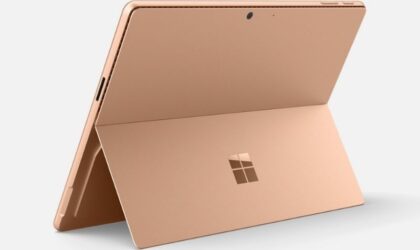
Microsoft Surface Pro, 13-inch (12th Edition)
Laptop capability. Tablet versatility. Run demanding apps all day with the latest Snapdragon X2 processor. Whether you prefer a keyboard, pen, touch, or voice, this ultra-portable device adapts to your workflow.
The Surface Pro earns its place when your work refuses to sit still. Field engineers sketching on site, students annotating PDFs in lectures, and artists who want pen-on-glass all get something the Laptop physically can’t deliver, a screen they can hold, flip, and draw on directly. The optional OLED panel sweetens that pitch for photographers and video editors who need accurate color in a grab-and-go body.
Travelers who pack light also lean Pro. Drop the keyboard in your bag and the tablet alone weighs less than any clamshell, which adds up over a long day on your feet. Coming from my M3 MacBook Air, I notice how rarely I detach anything from my setup, so the Pro speaks to a different rhythm of working, one where the device reshapes around the task instead of asking you to sit and type. Pick the Pro when flexibility is the whole point of the purchase.
Where the Surface Laptop wins
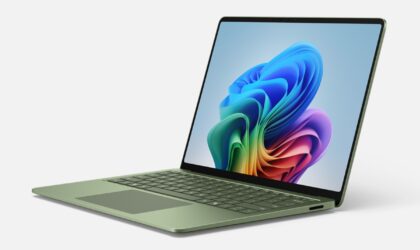
Microsoft Surface Laptop, 13.8-inch (8th Edition)
Built for your busiest days. Get more done with a sleek 13.8-inch display and the smart, secure performance of the Snapdragon X2 processor. Plus, with up to 20 hours of battery life, you can leave the charger behind.
The Surface Laptop makes the most sense for people who just want to open a lid and work. No keyboard to buy, no pen to charge, no kickstand to prop, you get a complete premium machine at the starting price, with 512 GB of storage and battery that comfortably clears a full day. Writers, coders, analysts, and anyone living in browser tabs and documents will feel right at home.
Bigger-screen seekers also belong here. The 15-inch model’s jump to 262 PPI gives spreadsheets and timelines extra breathing room, and the steady hinge beats balancing a tablet on your knees during a cramped commute. My own clamshell habit makes the case plainly enough, since a laptop that wakes the second I lift the lid removes a layer of fuss I never want back. Choose the Laptop when reliability and value outrank novelty.
Final verdict
For most people weighing these two, the Surface Laptop is the smarter buy. You get a finished machine at the door, more storage for your money, longer battery life, and a choice of screen sizes, all without hunting down accessories before you can type a sentence.
The Surface Pro stays the right call for a specific crowd, namely pen users, sketchers, frequent flyers, and color-critical creatives who treat flexibility as the headline feature. Both machines are excellent, and the Snapdragon X2 chips keep either one quick. Match the form factor to how you actually work, and you won’t regret the pick.
Related: 3 best budget laptops for 2026 that avoid the usual low-cost traps