


Smartcash will be huge soon, they have a very helpful and great community which will guide you on mining this coin using Windows, using anAMD GPU which will be the same process for Nvidia and just use the respective miner for Nvida and anything like steps and the same process with the other.

At the moment, this coin is just a solo mining only space. This implies that you will just be mining using your own wallet and that means using the Smartcash wallet, with a tweak of Smartcash.conf settings and SGMiner.
STEP 1 :
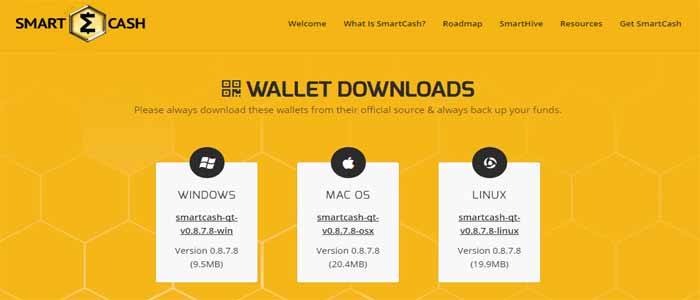
Download your wallet on this link and just make it run for it to be able to update its settings with the current block.
STEP 2 :
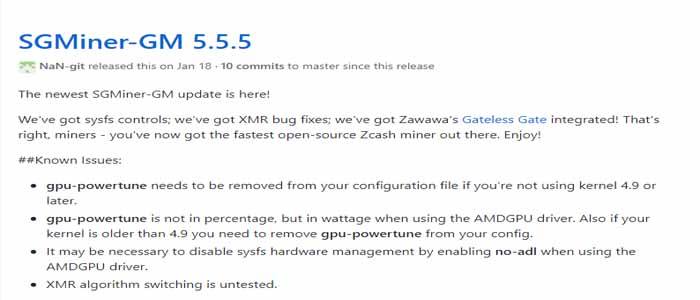
Step two, download the SGminer variant need to mine this coin at the time of this post current version is SGminer GM 5.5.5 simply extract the zip, then goto the folder.
You will have to edit the “start.bat” file with the credentials necessary for it to be working properly.

It should be a one line code that looks like this,

Change the -u parameter to a username of your choice and the then do the same for -P parameter as this is your password that you choose, do not share these details with anyone. once you are done save and exit.
STEP 3 :
Time to join the miner with the wallet and make it work, go to the following path on your computer C:\Users\yourusername\AppData\Roaming\smartcash change \yourusername to your computer user name. even if you cannot see the AppData path as it is defaul hiddden in Windows 10, you can goto the path by typing it in.
Once you have gotten to the smartcash path, we need to creat a .conf file, which will have the setting we need to make the wallet work with the gpu miner as a server.
The easiest way is to copy a .conf file from the SGminer directory, then edit it and rename, then you do not need to worry about trying to make one using notepad.
So to do this we went to our SGminer path were our GPU miner is and copied the sgminer-xmr.conf file now we past this file into our C:\Users\yourusername\AppData\Roaming\smartcash path, and edit the file by choosing open with and selecting notepad, make sure the tickbox is unselected we do not want this file associated with notepad.
Once the file is open for edit we want to delete everything in it, and then add the following lines in only.
server=1
daemon=1
rpcuser=yourusername
rpcpassword=yourpassword
rpcallowip=127.0.0.1
rpcport=9679
keypool=10000
Make sure to change the rpuser= to your username that you used in the SGminer setup and do the same for rpcpassword to the same password as used in the sgminer setup from above.
Once the file is looking like the above, click save and exit. now select the file and rename it to smartcash it will now be smartcash.conf.
Ok we are nearly there, one last step, and i am not sure why it is required, but i followed the instructions from the smartcash community and it works for me.
STEP 4 :
Download curl and extract the files.
STEP 5 :
Step 5 bringing it all together, exit the Smartcash wallet, for the moment. as we are going to begin the start up sequence to begin mining.
Lunch the Smartcash wallet (wait for it to sync)
Go to the curl directory and run the curl application
Now launch sgminer by running the “Start.bat” we edited before, this will launch SGminer.
After a few seconds maybe a minute it will look similar to this:
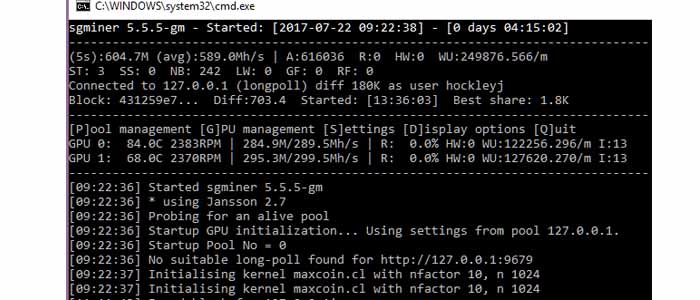
You are now solo mining, after a while 1-3 hours at the time of writing you will find and process your first block.
Which is 250 SMART.
The following is what the miner looks like once you have mined more then one block.
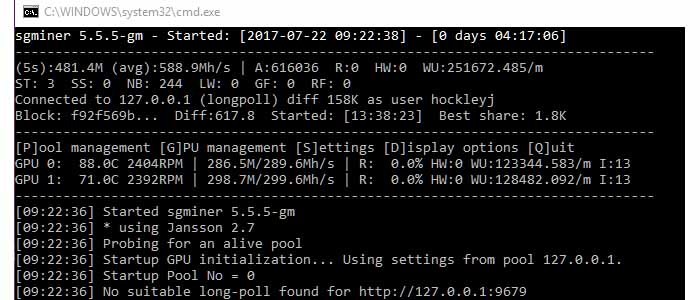
Every block you mine will appear in your wallet as an immature balance until confirmed by the network.
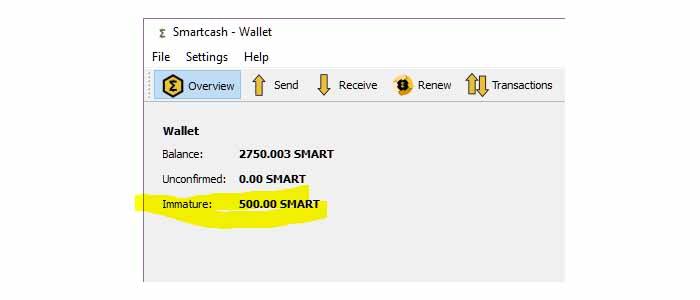
You are now done, setting up and running the miner. I follow the startup sequence anytime I want to run the miner and it has worked every day for me so far.
I would suggest for those that want an easier way, then wait until pool mining is available.
Written by BitcoinMining on February 15, 2018.